The Short Answer #
To get Amazon Ads API access as an advertiser, create a Login with Amazon (LwA) security profile at developer.amazon.com, apply as a Direct Advertiser, and once approved, assign the access to that profile through the link in the approval email. Then add a return URL, swap an authorization code for tokens and call /v2/profiles. Profile IDs coming back means you're done.
Amazon says review may take up to one business day. The step that goes wrong is the approval link: per Amazon, clicking it while logged into the wrong Amazon account invalidates it until API support resets it. And as of October 2026, refresh tokens issued on or after July 30, 2026 expire 365 days after consent.
What You Need Before You Start #
- An Amazon login with View and Edit access to your advertising account. By default the profiles call lists only accounts that login can edit.
- An Amazon Developer account, ideally on a business email more than one person can reach. Amazon ties your Ads API permissions to it, and after you accept the license agreement the linked LwA app can't be changed.
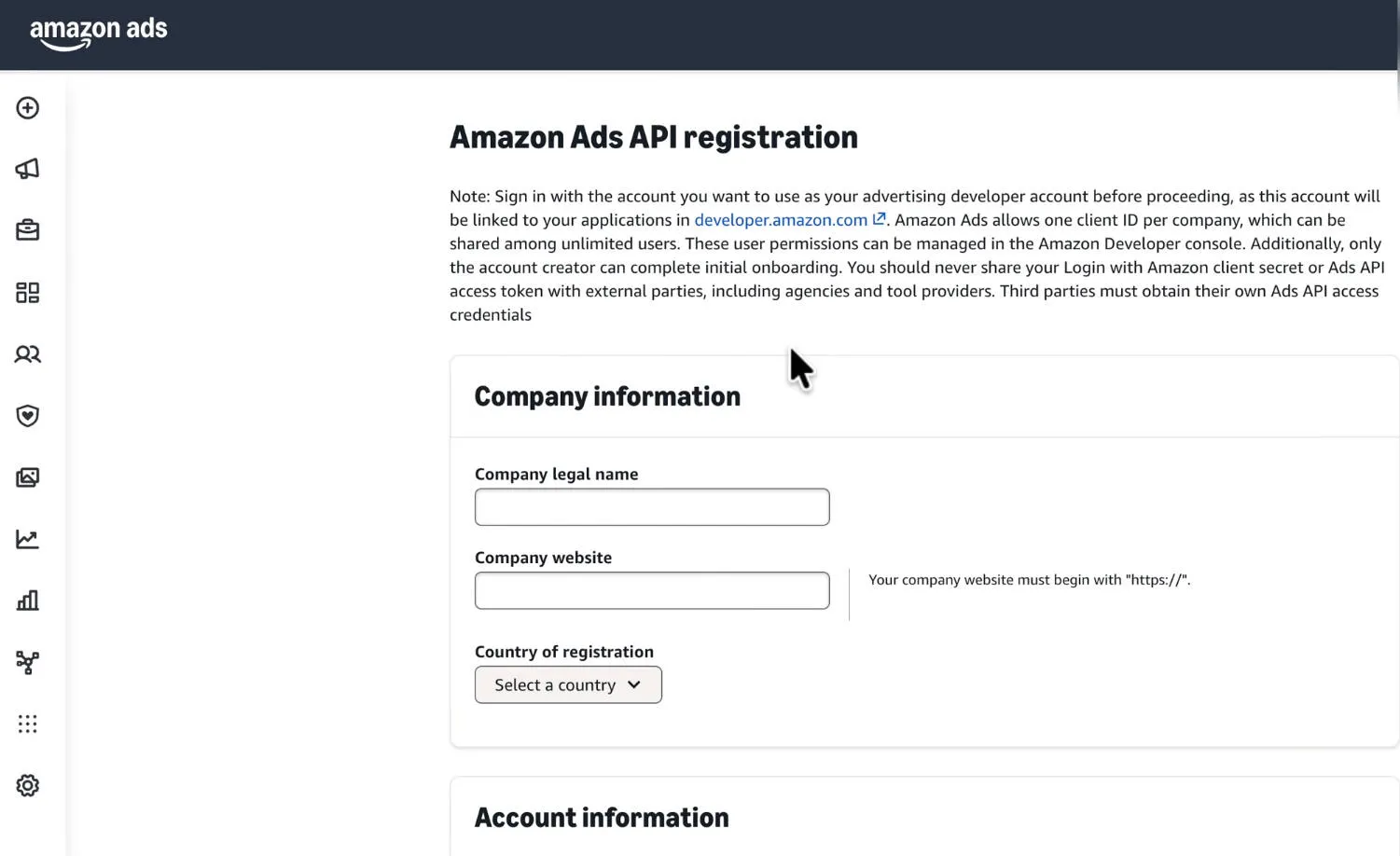
- Company details. The form I recorded asked for a company legal name, a company website beginning with https://, and a country of registration.
- A real use case. The form asks how your business intends to use the API.
There's no API fee: Amazon Ads says you pay only normal selling fees and campaign costs. SP-API credentials don't carry over, because Amazon wants a new LwA security profile for the Ads API. Amazon also allows one client ID per company, and only the creator of the Amazon Developer account can complete the first onboarding.
Direct Advertiser or Partner? #
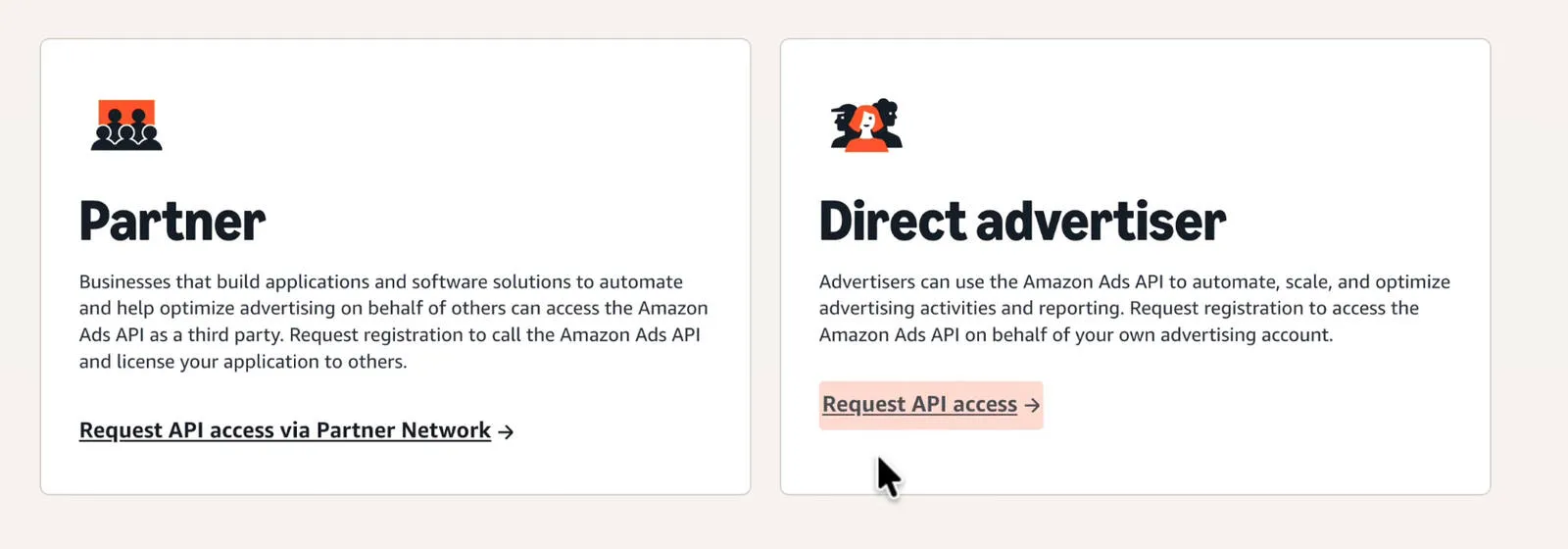
Direct Advertisers use the API "on behalf of your own advertising account". Partners are "businesses that build applications and software solutions to automate and help optimize advertising on behalf of others": agencies and tool providers, who apply through the Amazon Ads Partner Network.
| Direct Advertiser | Partner | |
|---|---|---|
| For | Your own brand's advertising | Agencies and tool providers working on others' accounts |
| Apply at | The Direct Advertiser form | Partner Network: API Applications, Request API Access |
| LwA app linked | Through the approval email link | Named on the form, linked after approval |
This guide takes the Direct Advertiser route. Agencies, note what the registration form says: never share your LwA client secret or Ads API access token with external parties, including agencies and tool providers; third parties must obtain their own Ads API access credentials. The Partner route is how they do that.
Step 1: Create the Login with Amazon Security Profile #
- Sign in at developer.amazon.com (or choose Create your Amazon Developer account), complete the registration form, accept the Amazon Developer Services Agreement and submit.
- Open Developer Console, then Login with Amazon in the menu bar.
- Choose Create a New Security Profile, fill in the name, description and Consent Privacy Notice URL, and Save. For a direct advertiser using its own data, Amazon says any URL is fine for the privacy notice.
- Choose Show Client ID and Client Secret and store both somewhere safe.
Step 2: Apply as a Direct Advertiser #
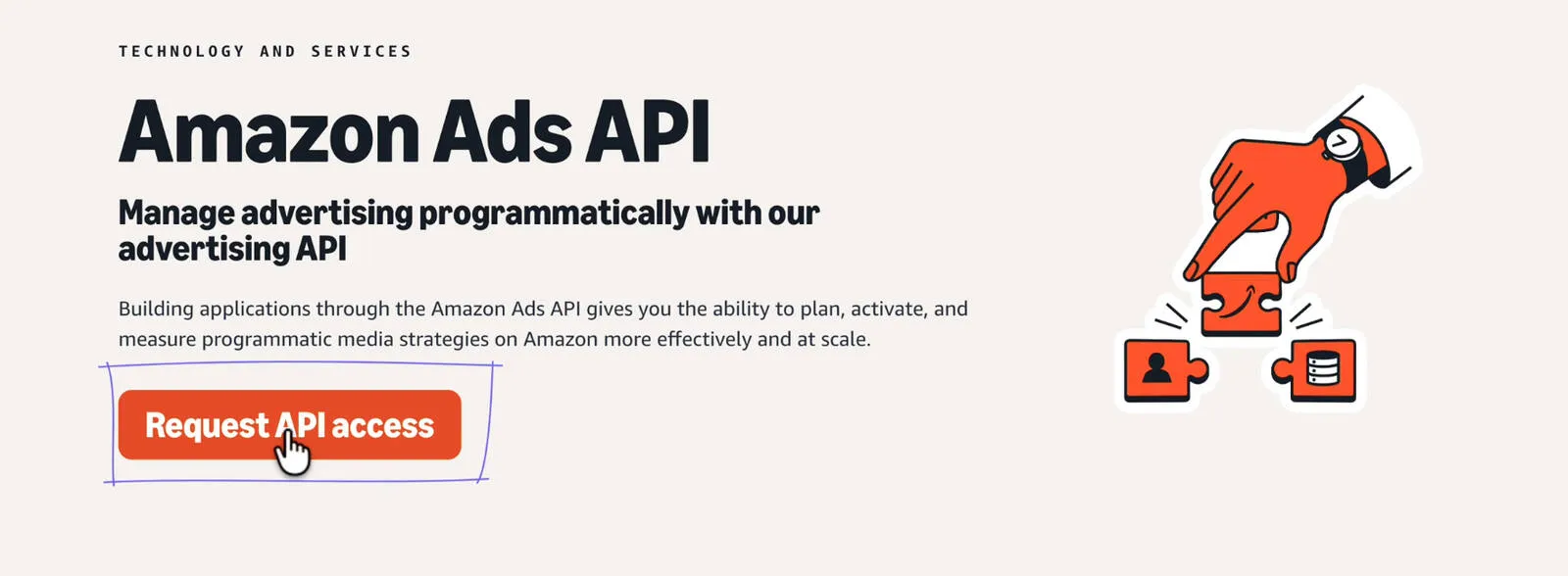
- Open the Direct Advertiser form from Amazon's Apply for API access page, or from the Amazon Ads API page: Request API Access, then Direct Advertiser.
- Sign in with your Amazon Developer email. If you're already logged in to any Amazon account you land straight on the form, so check the profile shown top right.
- Fill in the company and account information and your use case, then choose Submit for review.
Name the automation you'll actually run (hourly budget rules, bid changes from your own reports, a reporting dashboard) and give the website field your business's real site. Confirmation goes to the email you signed in with. Amazon says review may take up to one business day, and a rejection email explains how to resolve it.
Step 3: Assign Access From the Approval Email (Logged Out of Everything Else) #
Read this before clicking anything in the approval email. Amazon's warning, verbatim: "If anyone clicks on the link while logged into the wrong account, the link will be invalidated and will need to be reset by the Amazon API support team."
- Log out of every Amazon account except the one you applied with, personal shopping account included. Quickest: paste the link into a private or incognito window and sign in with the applying account when asked.
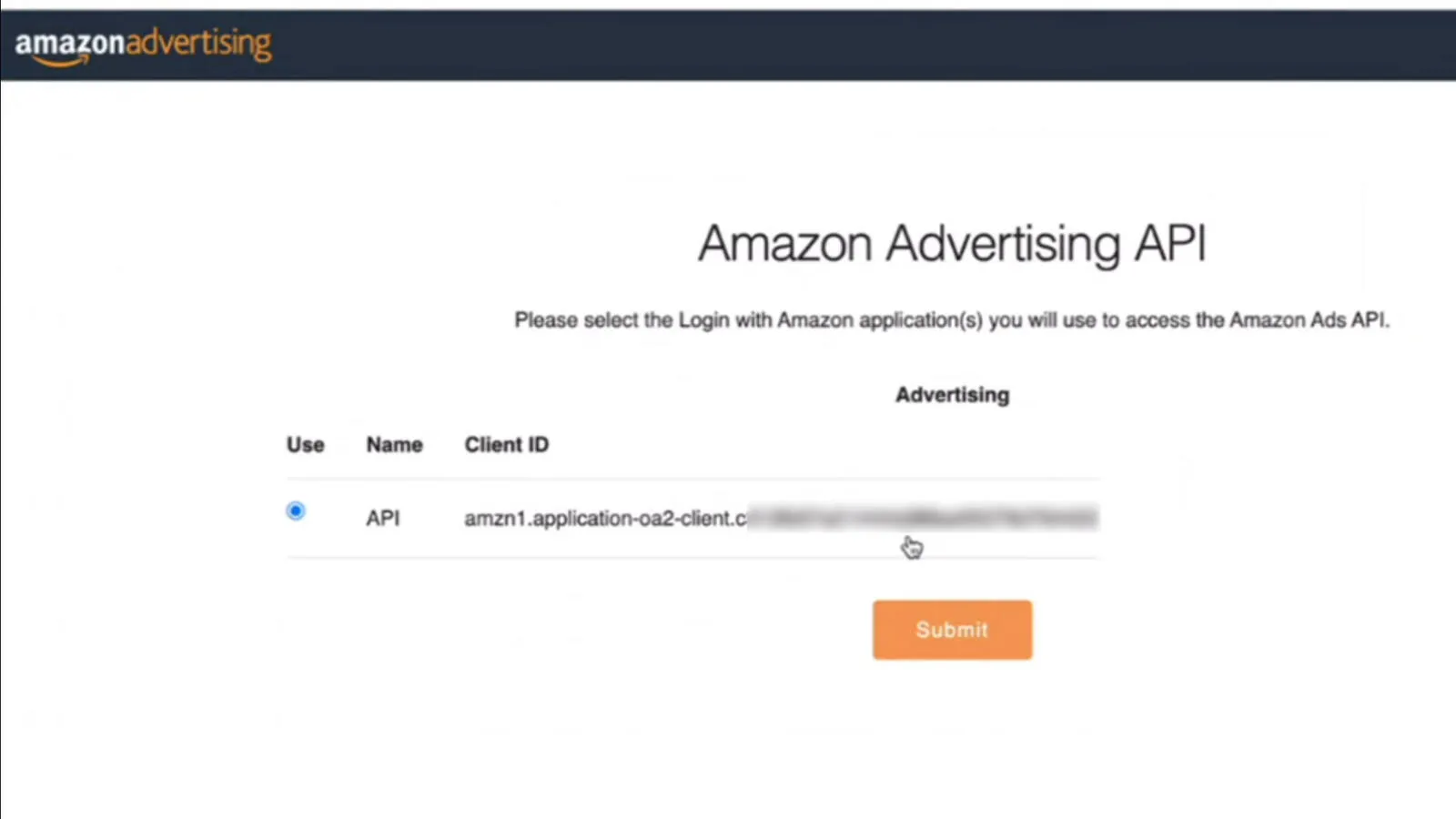
- Choose Continue, select your Step 1 security profile, and choose Submit.
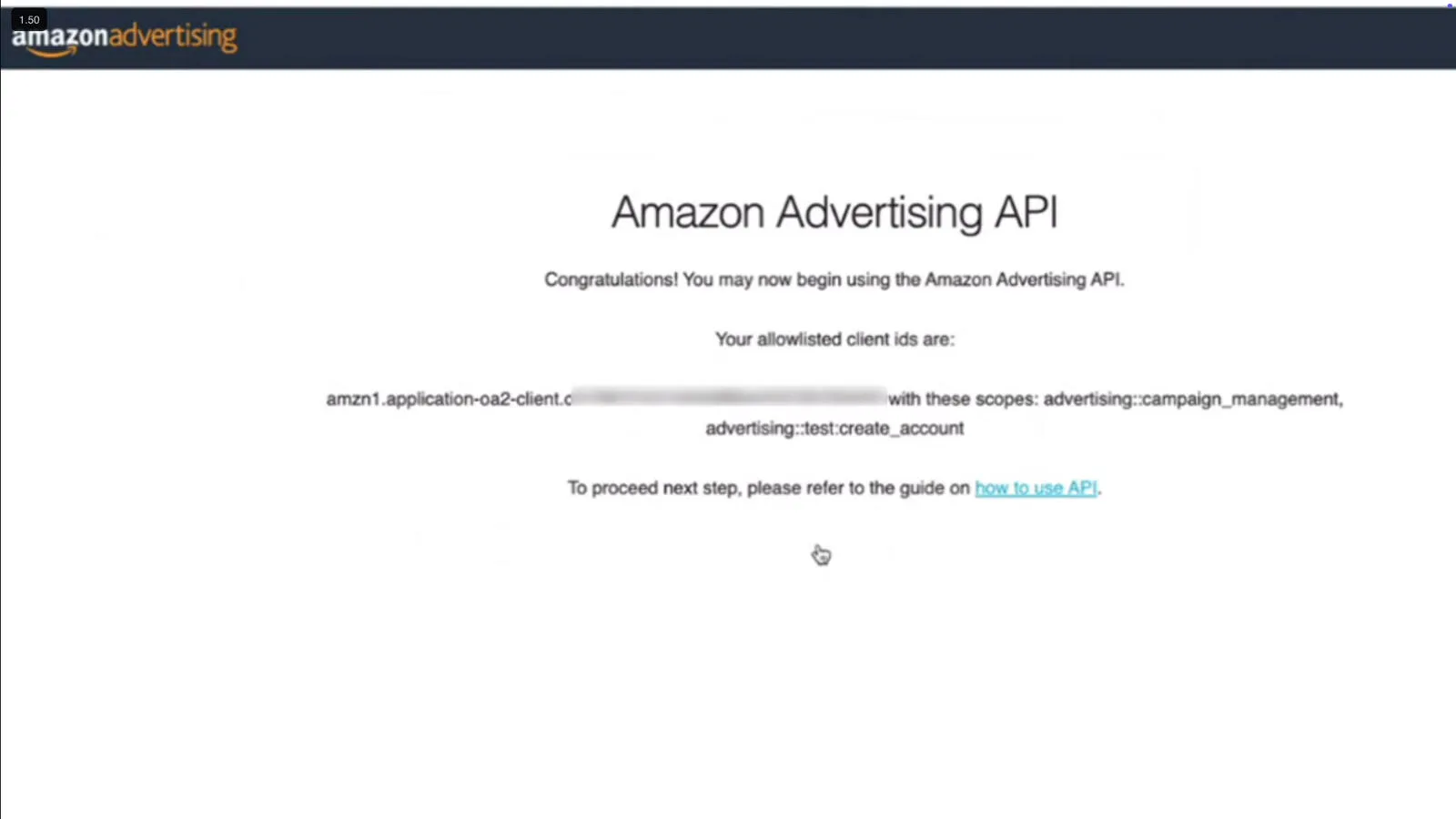
- The confirmation lists your client ID with
advertising::campaign_management(almost every call) andadvertising::test:create_account(test accounts).
This is permanent. Amazon says the association can't be changed once it's set. If the link breaks or binds to the wrong account, email ads-api-onboarding@amazon.com (onboarding support moved from Jira to Zendesk and email in July 2024). In my experience a reset isn't quick. The full warning is on Amazon's assign-access page.
Step 4: Add an Allowed Return URL #
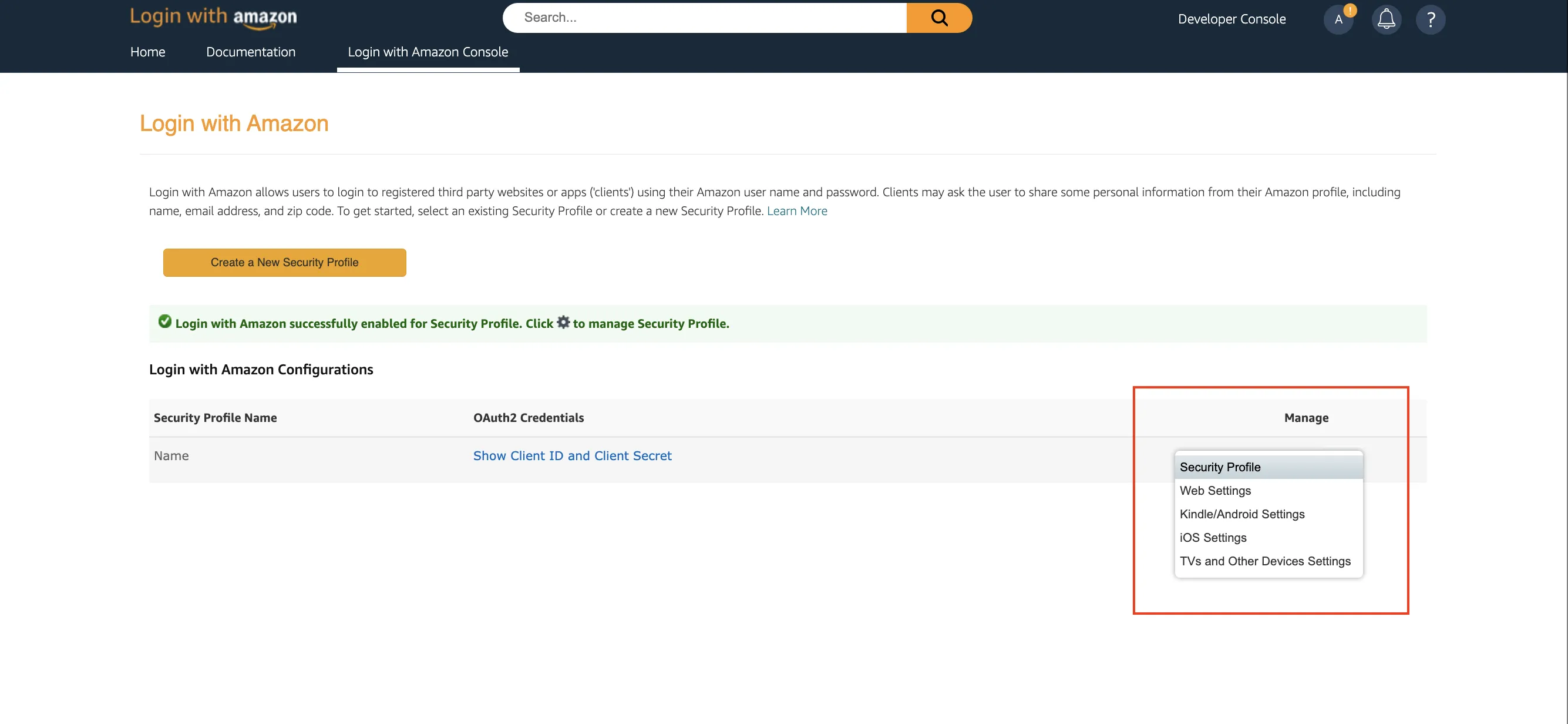
In the Developer Console's Login with Amazon page, hover the gear under Manage for your security profile and choose Web Settings. Click Edit, add an address under Allowed Return URLs and Save. A direct advertiser can use any valid URL; Amazon's own example is https://amazon.com, and you copy the code out of the address bar by hand. Login with Amazon expects an HTTPS address.
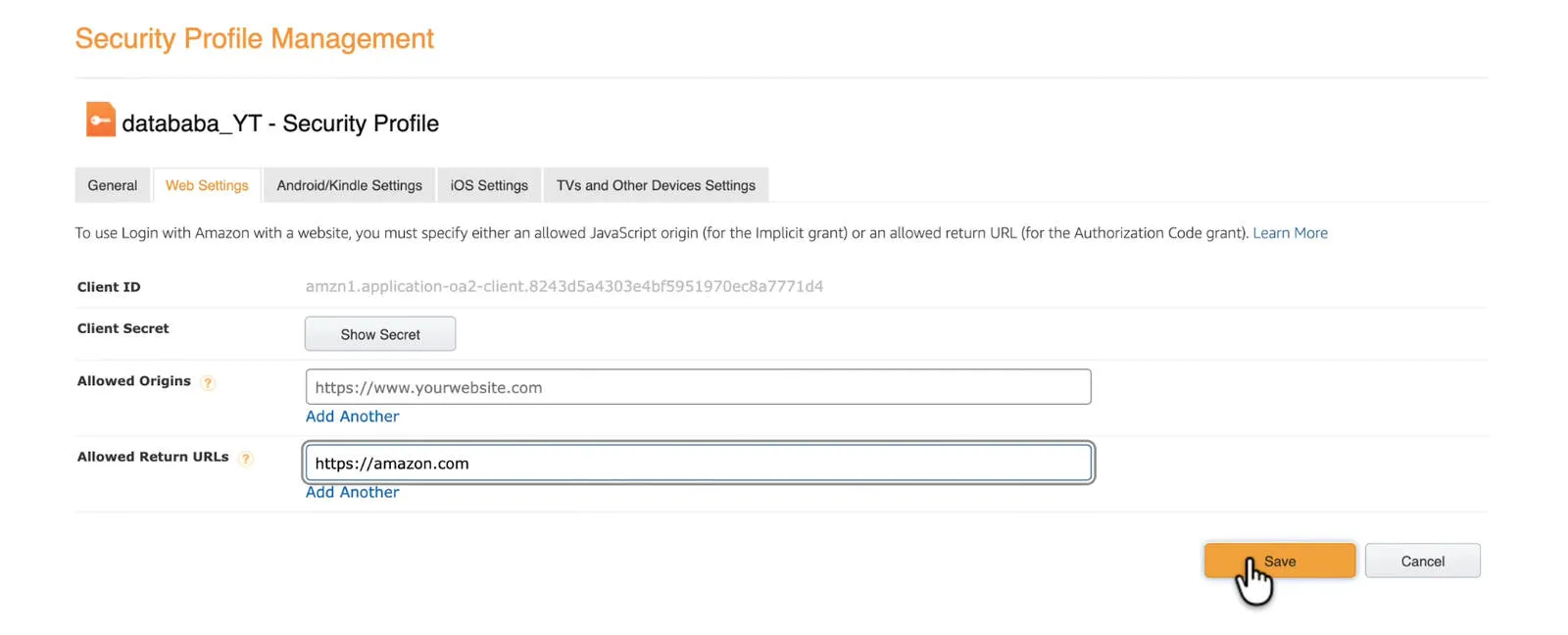
https://amazon.com as the return URL.Step 5: Get an Authorization Code #
Open the consent URL for your region, sign in with the login that can edit your ad accounts (it doesn't have to be your developer account), and choose Allow.
| Region | Consent URL prefix | Token URL |
|---|---|---|
| North America | https://www.amazon.com/ap/oa | https://api.amazon.com/auth/o2/token |
| Europe | https://eu.account.amazon.com/ap/oa | https://api.amazon.co.uk/auth/o2/token |
| Far East | https://apac.account.amazon.com/ap/oa | https://api.amazon.co.jp/auth/o2/token |
https://www.amazon.com/ap/oa?client_id=YOUR_LWA_CLIENT_ID&scope=advertising::campaign_management&response_type=code&redirect_uri=https://amazon.com
Amazon then sends you to the return URL with the code in the query string:
https://www.amazon.com/?code=xxxxxxxxxxxxxxxxxxx&scope=advertising%3A%3Acampaign_management
You have five minutes. Authorization codes expire after 5 minutes and work once. If the next step fails, generate a fresh code rather than retrying the old one.
The prefix decides which Amazon site you sign in through, and the same email can be a different account, with different ad access, on amazon.co.uk or amazon.co.jp. Clients approved before October 2020 may need the older scope cpc_advertising:campaign_management. Amazon's authorization grant guide has the details.
Step 6: Exchange the Code for Tokens #
curl -X POST \
  --data "grant_type=authorization_code&code=AUTH_CODE&redirect_uri=https://amazon.com&client_id=YOUR_CLIENT_ID&client_secret=YOUR_CLIENT_SECRET" \
  https://api.amazon.com/auth/o2/token
{
    "access_token": "Atza|IQEBLjAsAhRmHjNgHpi0U-Dme37rR6CuUpSR...",
    "token_type": "bearer",
    "expires_in": 3600,
    "refresh_token": "Atzr|IQEBLzAtAhRPpMJxdwVz2Nn6f2y-tpJX2DeX..."
}
The access token lasts 60 minutes. Store the refresh token: it mints new access tokens with grant_type=refresh_token, and Amazon's docs say tokens from one consent work with the API endpoints in any region. Keep the Atza| and Atzr| prefixes; they're part of the token.
New since July 30, 2026: refresh tokens issued on or after that date expire 365 days after the advertiser's consent, fixed at consent and not extended by use. Older tokens keep working until revoked. Store the consent date with the token and re-authorize before the year is up.
Step 7: First Call: List Your Profiles #
curl \
  -H "Amazon-Advertising-API-ClientId: YOUR_CLIENT_ID" \
  -H "Authorization: Bearer YOUR_ACCESS_TOKEN" \
  https://advertising-api.amazon.com/v2/profiles
A successful call returns one profile per advertising account per marketplace:
[
  {
    "profileId": 888888888,
    "countryCode": "MX",
    "currencyCode": "MXN",
    "timezone": "America/Los_Angeles",
    "accountInfo": {
      "marketplaceStringId": "A1AM78C64UM0Y8",
      "id": "ENTITY2Ihjasdjkeru",
      "type": "vendor",
      "name": "Name of the Account",
      "validPaymentMethod": false
    }
  }
]
Nearly every later call adds a third header, Amazon-Advertising-API-Scope, set to the profile ID you're working on. The profiles call only answers for its host's region, so this Python version refreshes the token and checks all three (pip install requests):
import requests

CLIENT_ID = "amzn1.application-oa2-client.YOUR_ID"
CLIENT_SECRET = "YOUR_CLIENT_SECRET"
REFRESH_TOKEN = "Atzr|YOUR_REFRESH_TOKEN"
TOKEN_URL = "https://api.amazon.com/auth/o2/token"   # api.amazon.co.uk (EU) or api.amazon.co.jp (FE)
HOSTS = {
    "NA": "https://advertising-api.amazon.com",
    "EU": "https://advertising-api-eu.amazon.com",
    "FE": "https://advertising-api-fe.amazon.com",
}

token = requests.post(TOKEN_URL, data={
    "grant_type": "refresh_token",
    "refresh_token": REFRESH_TOKEN,
    "client_id": CLIENT_ID,
    "client_secret": CLIENT_SECRET,
}, timeout=30)
if token.status_code != 200:
    raise SystemExit(f"Token refresh failed {token.status_code}: {token.text}")
access_token = token.json()["access_token"]   # valid for 60 minutes

for region, host in HOSTS.items():
    resp = requests.get(f"{host}/v2/profiles", headers={
        "Amazon-Advertising-API-ClientId": CLIENT_ID,
        "Authorization": f"Bearer {access_token}",
    }, timeout=30)
    print(region, resp.status_code)
    if resp.ok:
        for p in resp.json():
            print("  ", p["profileId"], p["countryCode"], p["accountInfo"]["type"], p["accountInfo"]["name"])
| Host | Marketplaces |
|---|---|
advertising-api.amazon.com | US, CA, MX, BR |
advertising-api-eu.amazon.com | UK, FR, IT, ES, DE, NL, AE, PL, TR, EG, SA, SE, BE, IN, ZA |
advertising-api-fe.amazon.com | JP, AU, SG |
What Each Credential Is For #
| Credential | What it does | How long it lasts |
|---|---|---|
| Client ID | Sent as Amazon-Advertising-API-ClientId on every call | One per company |
| Client secret | Used only in token requests, never in API headers | Changing it is one of the events Amazon lists as invalidating refresh tokens |
| Authorization code | One-time swap for tokens | 5 minutes, single use |
| Access token | Authorization: Bearer on every call | 60 minutes |
| Refresh token | Mints new access tokens | 365 days from consent if issued on or after July 30, 2026 |
| Profile ID | Sent as Amazon-Advertising-API-Scope; picks account and marketplace | One per advertising account per marketplace |
The Errors You'll Actually Hit #
"The request has an invalid parameter : code"
Amazon's docs give this error_description on a 400 from the code exchange; it points to a code that expired (5 minutes) or was already used. Generate a new one.
invalid_grant on a refresh
{
    "error_description": "The request has an invalid grant parameter : refresh_token. User may have revoked or didn't grant the permission.",
    "error": "invalid_grant"
}
The refresh token is dead: revoked, past its 365 days, or invalidated by a change to the LwA credentials. Only a new consent fixes it.
invalid_scope on the consent screen
Login with Amazon's code for a wrong scope. The likeliest reason: the client ID in your URL isn't the security profile that got the advertising scope in Step 3, or Step 3 never finished.
An empty list from /v2/profiles
[] means authorization worked, but that login has no View and Edit access to advertising accounts in that region. Try the other regional hosts, then check the login's permissions.
401 Unauthorized
Missing or wrong Amazon-Advertising-API-ClientId or Authorization headers, or an access token older than 60 minutes. A missing or wrong Amazon-Advertising-API-Scope returns 401 or 400.
Dead Ends Worth Skipping #
- Reusing your SP-API Login with Amazon app. Amazon wants a new security profile for the Ads API.
- Clicking the approval link in your everyday browser. Logged into another Amazon account, it gets invalidated.
- Linking a throwaway security profile "for now". The association can't be changed, and it's one client ID per company.
- Giving up after one empty profiles call. Profiles are per region: an EU-only advertiser gets
[]from the North America host. - Treating the refresh token as permanent. Consents from July 30, 2026 expire after 365 days.
FAQ: Questions From the Video Comments #
Can I get Ads API access as an individual without a registered business?
Amazon's onboarding pages don't say individuals are barred, but the process is written for companies: the form I recorded asked for a company legal name, website and country of registration. My answer under the video has been to apply as a registered business, and I still think that's right; treat it as my advice, not a published Amazon rule. Freelancers running other people's ads belong on the Partner route.
What do I put in the Company website field? Can I use my Shopify store?
Your business's real website, and yes, a Shopify store counts if that's where your business lives. The form wants an address beginning with https://. Don't enter a domain that isn't yours or doesn't load; it's a reviewed application.
Why open the approval link in an incognito window?
Because Amazon warns that clicking it while logged into the wrong account invalidates it until API support resets it. A private window has no Amazon session: paste the link, sign in with the account you applied with, and it's recognized once you log in.
My approval link stopped working or went to the wrong account. What now?
Email Amazon's Ads API onboarding team at ads-api-onboarding@amazon.com and ask for the link to be reset. Amazon moved onboarding support from Jira to Zendesk and email in July 2024; ads-api-support@amazon.com handles ongoing API questions.
How long does approval take?
Amazon says review may take up to one business day, with the result emailed to the address you applied with. Assigning access and generating tokens afterwards takes minutes.
Do I need a separate refresh token for each region?
No. Amazon's docs say tokens from one consent work with API endpoints in any region. What's regional is the consent URL, which picks the Amazon site you sign in through, and the profiles call, which lists only its host's region.
Can I use my SP-API client ID for the Ads API?
No. Even if you have Login with Amazon credentials from the SP-API, Amazon asks you to create a new LwA security profile for the Ads API and assign the Ads access to that one.
Does my refresh token expire?
If the consent was on or after July 30, 2026, yes: 365 days from consent, and use doesn't extend it. Older tokens have no fixed expiry and last until the advertiser revokes access or another invalidation happens, such as the LwA credentials changing.
Is the Amazon Ads API free?
Yes, it's free to use. Amazon Ads says there are no additional fees to use the API; you pay standard selling fees and the cost of your campaigns.
Can one client ID manage several brands or client accounts?
For your own company, yes: one client ID per company, any number of users, and any Amazon login can authorize it, so each login's accounts appear as profiles. For client accounts, Amazon's route is the Partner one; its registration form says third parties must obtain their own Ads API credentials.
What to Build Next, and Help If You're Stuck #
With a refresh token and a profile ID you can build dayparting with hourly budget toggles, hourly bid rules, Marketing Stream pipelines and reporting that stays inside the API's rate limits. To let Claude query the account, see connecting Claude to Amazon Ads MCP. Selling too? SP-API access is a separate application with its own credentials.
If you'd rather have someone next to you, I run a 45-minute screen-share session for $50 for sellers, brands and agencies getting their own access. We fill in the application together, describe the use case the way Amazon's reviewers expect, and set up the LwA profile; depending on where you are in Amazon's review, you leave with the application submitted or with working tokens and a first call. I can't promise Amazon's decision, and it isn't for SaaS tools. Details: the $50 API access session.
Related guides
Amazon Ads API
Amazon Ads API Rate Limits Explained (And How to Stop Hitting Them)
A 429 storm from the Amazon Ads API almost always means your retry logic is wrong, not that your limits are too low. Here's how the per-endpoint token buckets actually work, what the response headers tell you, and the request patterns that keep you comfortably under the limit.
Read guide →Amazon Ads API
Custom PPC Automation vs Pacvue & Perpetua: an Honest Comparison
I build custom Amazon PPC automation for a living and I still tell most people to buy the SaaS. Here's a straight comparison of custom builds versus tools like Pacvue and Perpetua — what each does better, the real cost math, and how to tell which side of the line you're actually on.
Read guide →Amazon Ads API
AMS vs AMC: Which Amazon Ad Data Tool to Use, and When
Amazon Marketing Stream and Amazon Marketing Cloud both start with “Amazon Marketing” and both deal with ad data — so they get mixed up constantly. They actually solve opposite problems. One pushes you hourly data for real-time action; the other runs SQL over years of history for attribution. Here's the difference, side by side, and how to pick.
Read guide →Running PPC across several accounts?
I built a dayparting control room that runs hourly across a PPC manager's client accounts: rules, dry runs, approvals and an audit log. Tell me what your tooling can't do and I'll quote the build at a fixed price.