What is Amazon Vendor RRA? #
Amazon Vendor Retail Reporting Analytics (RRA) provides vendors with detailed reporting on sales, inventory, traffic, and more.
The data is accessible via SP-API, and unlike manual downloads, an automated pipeline lets you:
- Pull data hourly (or on any schedule)
- Store it in a structured warehouse (BigQuery)
- Build real-time dashboards without manual exports
Use case: Track sales velocity, inventory health, and traffic patterns in near real-time for faster decision-making.
Architecture Overview #
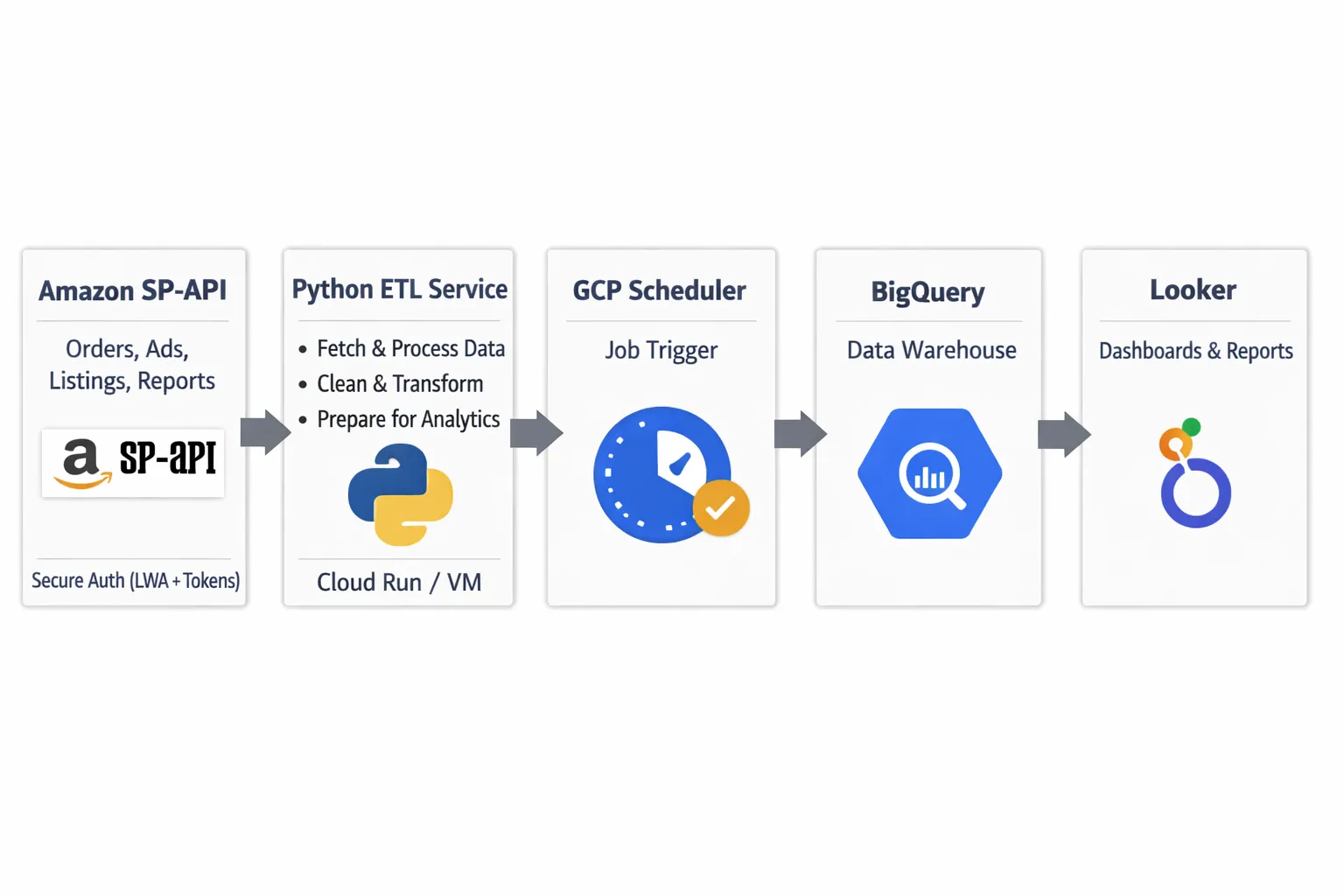
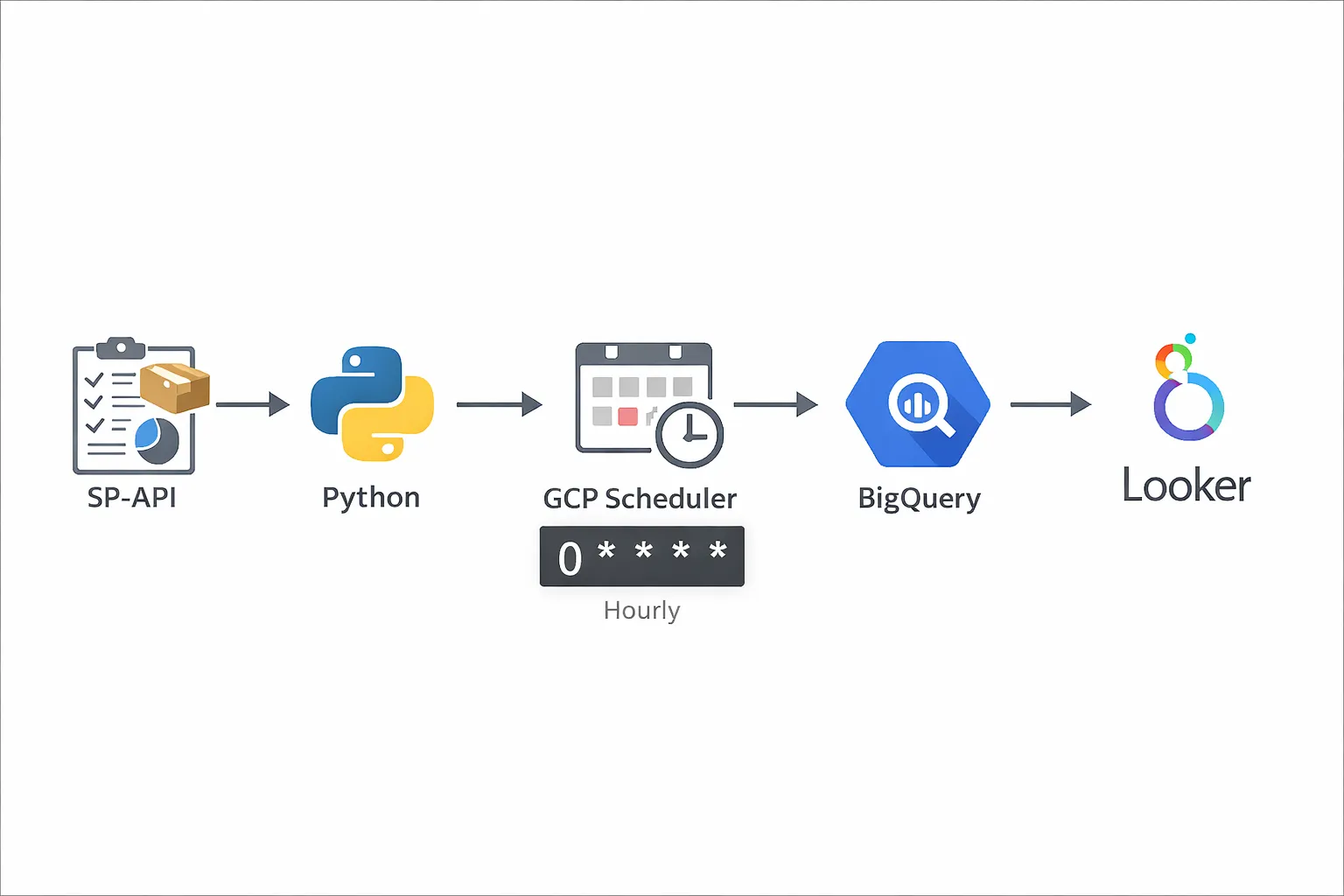
Here's the pipeline flow:
- SP-API → Pull RRA reports (Sales, Inventory, Traffic, etc.)
- Python script → Parse and transform the data
- GCP Cloud Scheduler → Trigger the script hourly
- BigQuery → Store structured data
- Looker Studio or custom dashboard → Visualize the data
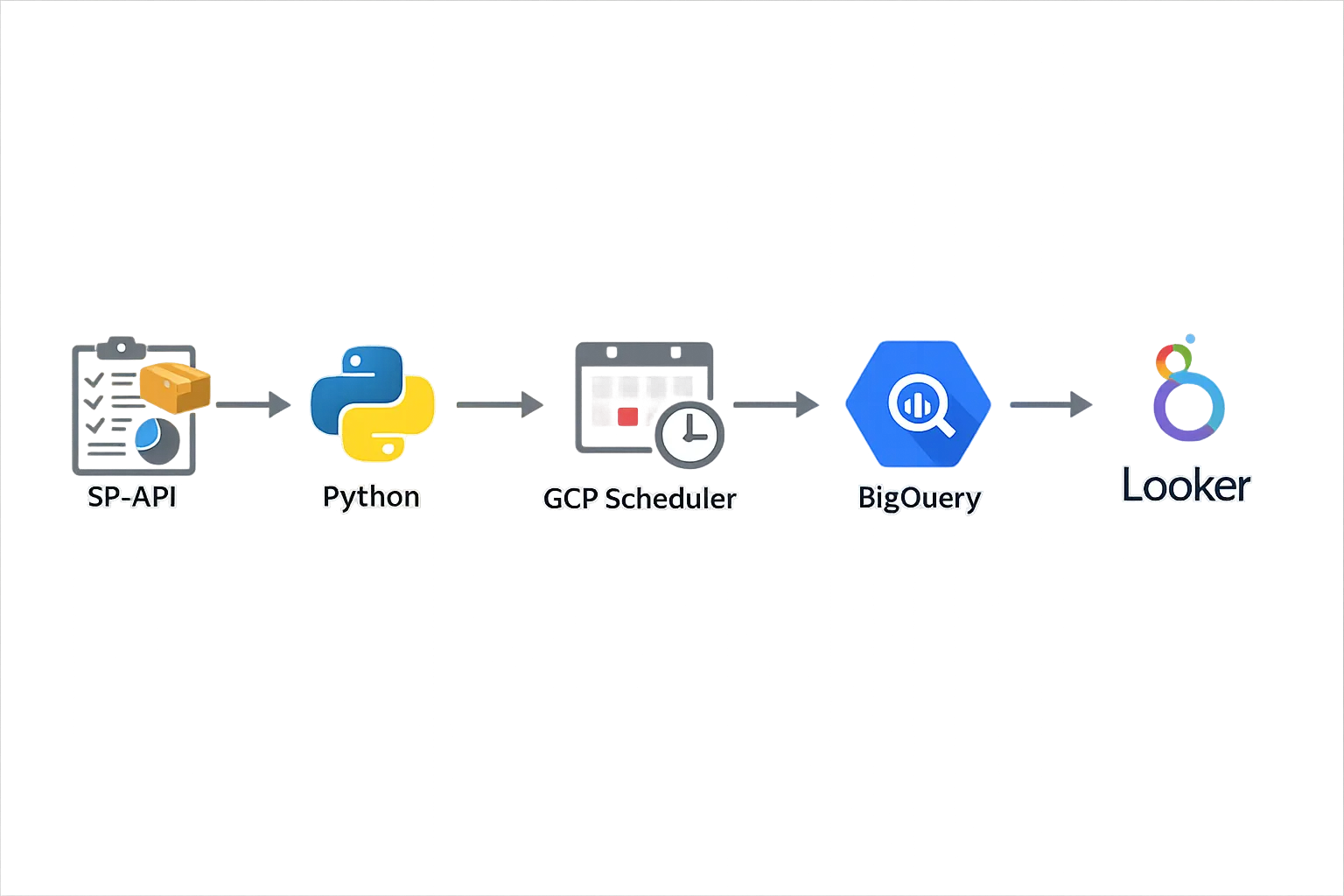
Why GCP? Cloud Scheduler + Cloud Functions make scheduling simple. You can use AWS Lambda + EventBridge if you prefer AWS.
Step 1: Get SP-API Access for Vendor Reports #
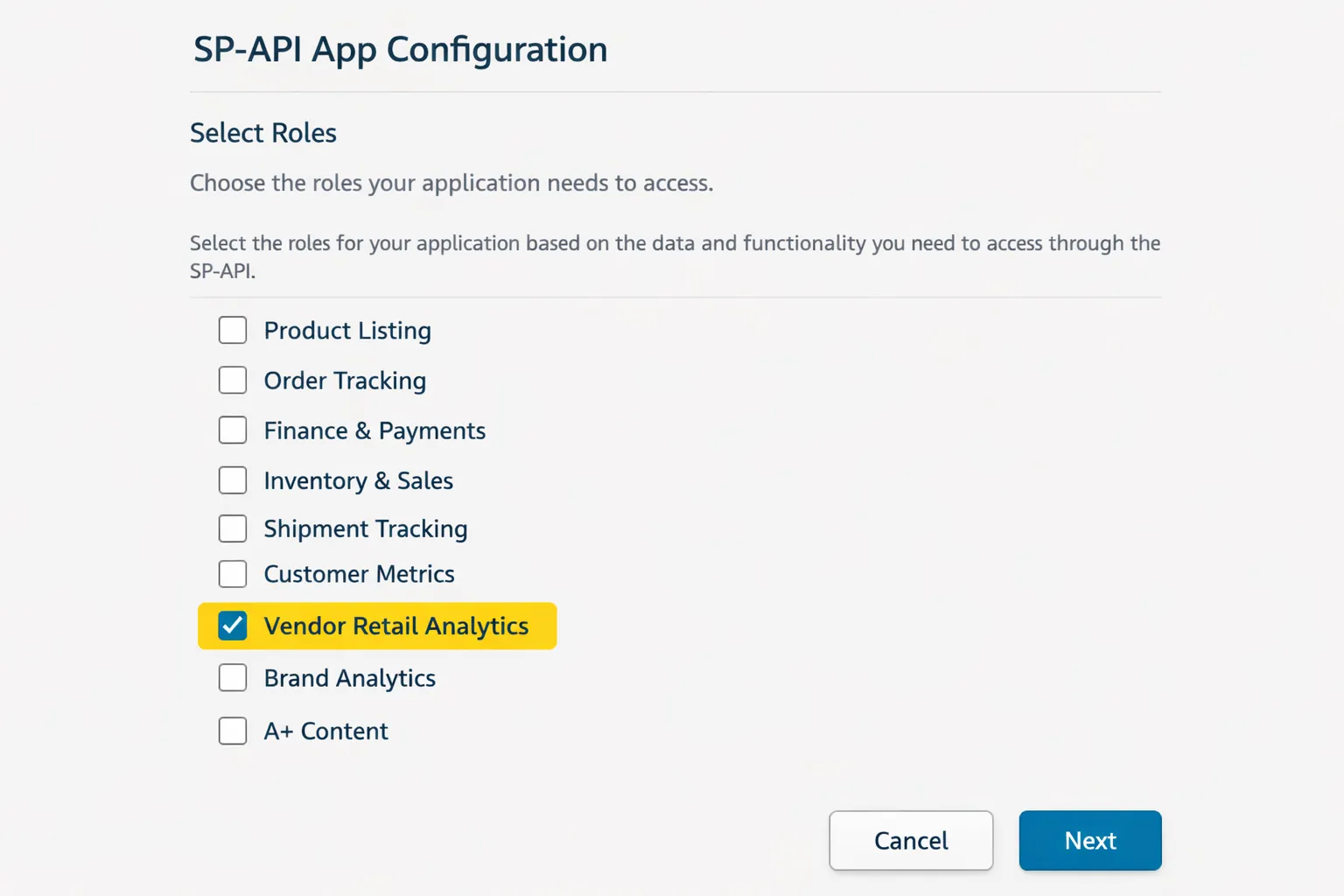
Before pulling RRA data, you need SP-API credentials with vendor reporting permissions.
Follow Amazon's Vendor Retail Analytics documentation to:
- Create an SP-API app in Vendor Central
- Request Retail Analytics role permissions
- Generate your refresh token
You'll need:
- Client ID
- Client Secret
- Refresh Token
Step 2: Write the Python Script to Pull RRA Data #
Your script will:
- Authenticate with SP-API using your credentials
- Request RRA reports (e.g., Sales, Inventory)
- Poll for report completion — the async Reports request-poll-download cycle
- Download and parse the report
- Insert data into BigQuery
Sample Python structure:
import requests
import time
from google.cloud import bigquery

# 1. Get access token
def get_access_token(refresh_token, client_id, client_secret):
    # Exchange refresh token for access token
    pass

# 2. Request RRA report
def request_report(report_type, marketplace_id):
    # Call SP-API createReport endpoint
    pass

# 3. Poll report status
def poll_report_status(report_id):
    # Check if report is DONE
    pass

# 4. Download report
def download_report(report_document_id):
    # Download and decompress if needed
    pass

# 5. Insert into BigQuery
def insert_to_bigquery(data):
    client = bigquery.Client()
    table_id = "project.dataset.rra_sales"
    client.insert_rows_json(table_id, data)
    pass
Pro tip: Use watermarks (last processed timestamp) to avoid duplicate data. Store the watermark in a separate BigQuery table or GCS file.
Step 3: Schedule the Script on GCP #
You have two main options on GCP:
Option 1: Cloud Scheduler + Cloud Functions
- Deploy your script as a Cloud Function
- Use Cloud Scheduler to trigger it hourly
- Good for lightweight, event-driven jobs
Option 2: Cloud Scheduler + Cloud Run
- Package your script in a Docker container
- Deploy to Cloud Run
- Scheduler sends HTTP requests to trigger it
- Better for complex dependencies or longer-running jobs
Sample Cloud Scheduler cron:
# Run every hour at minute 5
0 * * * *
Step 4: Store Data in BigQuery #
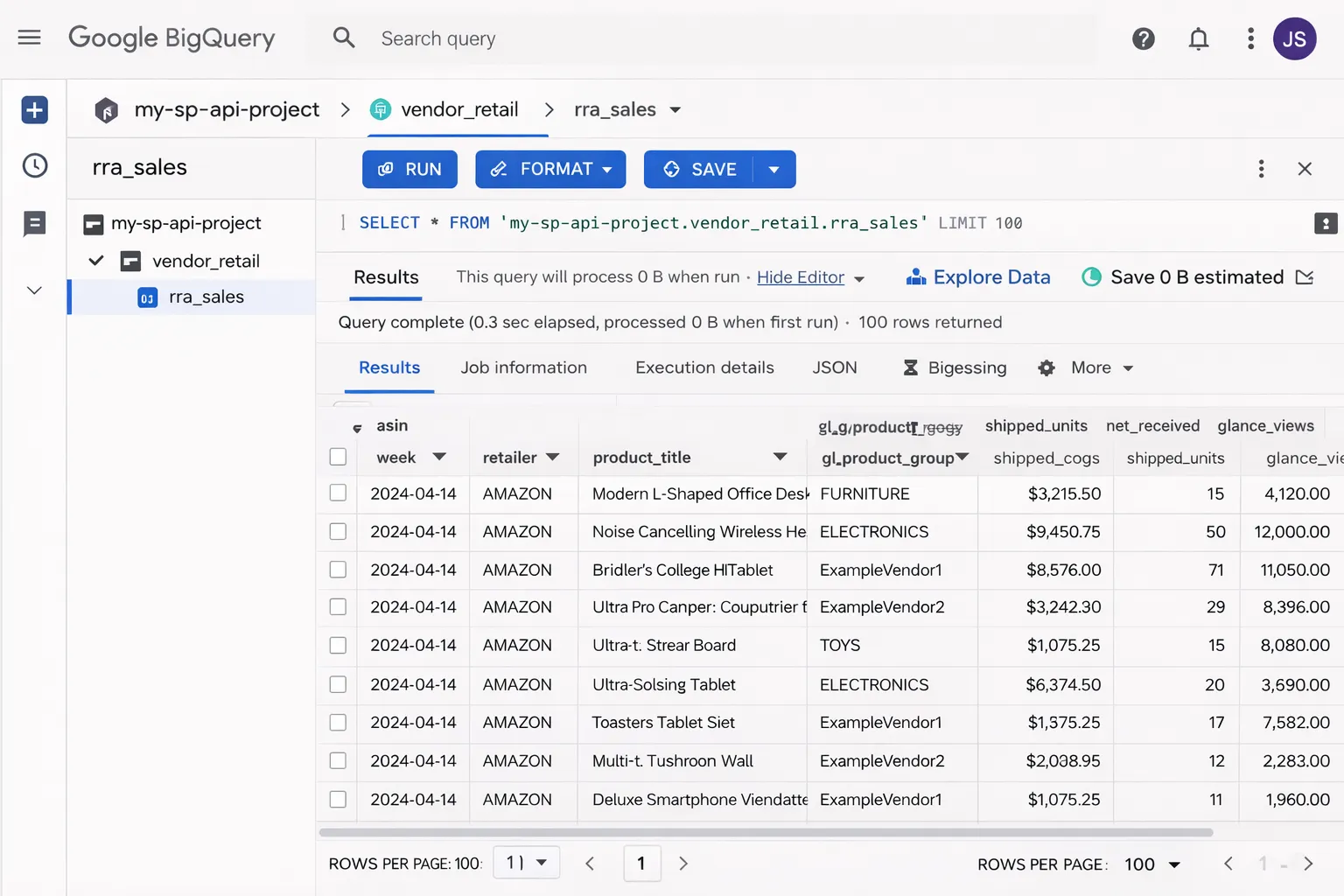
Create a BigQuery dataset and tables for your RRA data:
-- Example: Sales table schema
CREATE TABLE `project.rra_data.sales` (
  report_date DATE,
  asin STRING,
  title STRING,
  ordered_units INT64,
  ordered_revenue FLOAT64,
  marketplace STRING,
  inserted_at TIMESTAMP DEFAULT CURRENT_TIMESTAMP()
)
PARTITION BY report_date;
Pro tip: Use partitioned tables (by date) for faster queries and lower costs on large datasets.
Your Python script inserts rows using the BigQuery client library:
from google.cloud import bigquery

client = bigquery.Client()
table_id = "project.rra_data.sales"

rows_to_insert = [
    {"report_date": "2026-01-20", "asin": "B08XYZ", "ordered_units": 42, ...}
]

errors = client.insert_rows_json(table_id, rows_to_insert)
if errors:
    print(f"Errors: {errors}")
Step 5: Build Dashboards (Looker Studio or Custom) #
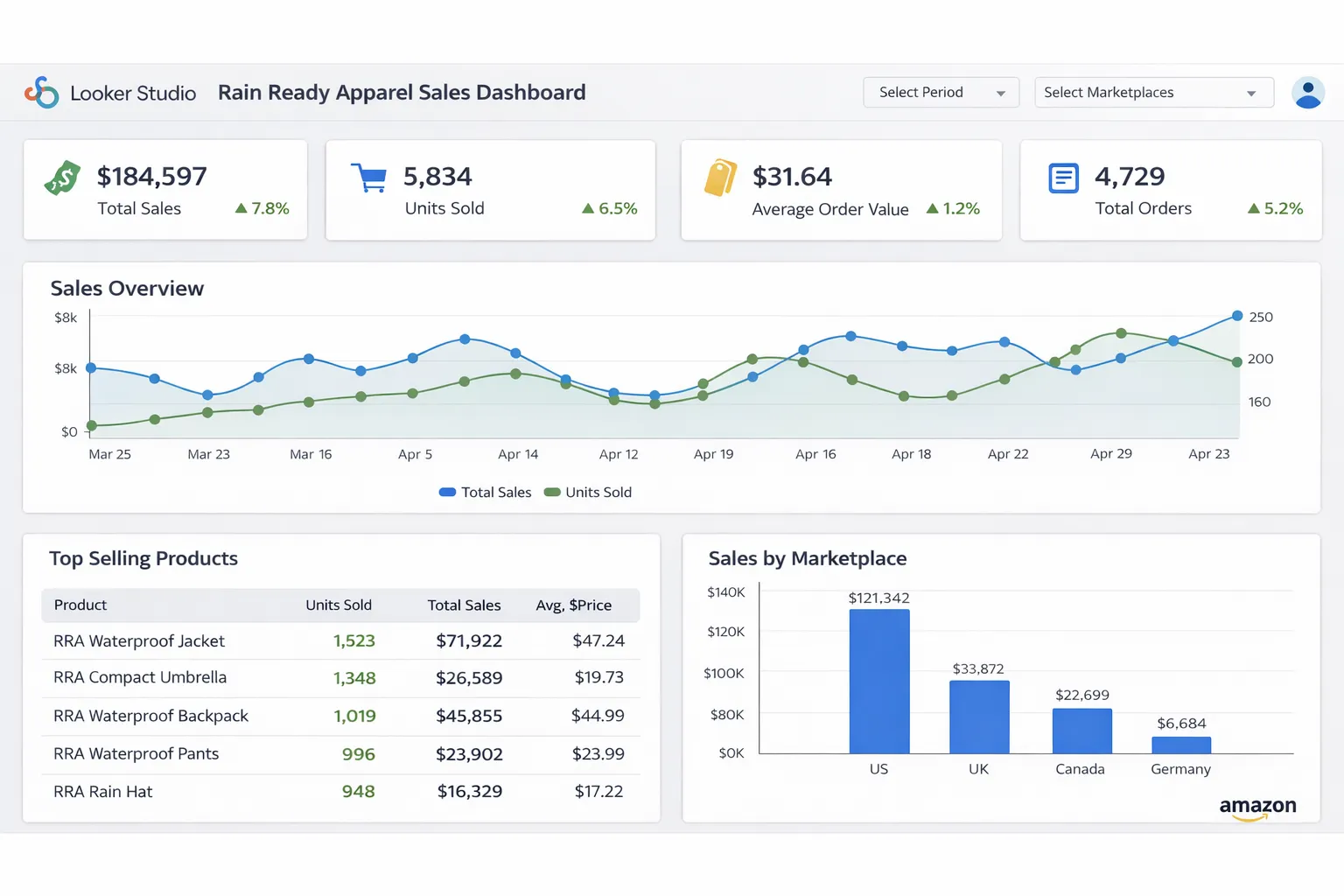
Option 1: Looker Studio (Fast & Simple)
- Connect Looker Studio to your BigQuery dataset
- Create charts: sales trends, top ASINs, inventory alerts
- Share with your team (read-only or editable)
Option 2: Custom Dashboard (More Control)
Build your own dashboard using:
- Django/Flask + Chart.js (Python backend)
- React + Recharts (JavaScript frontend)
- Streamlit or Dash (Python, rapid prototyping)
Query BigQuery from your app:
from google.cloud import bigquery

def get_sales_by_date():
    client = bigquery.Client()
    query = '''
        SELECT report_date, SUM(ordered_revenue) as revenue
        FROM `project.rra_data.sales`
        WHERE report_date >= DATE_SUB(CURRENT_DATE(), INTERVAL 30 DAY)
        GROUP BY report_date
        ORDER BY report_date
    '''
    results = client.query(query).to_dataframe()
    return results
Handling Errors and Retries #
Production pipelines need error handling — including the vendor reporting pipelines I build for 1P vendors:
1. Retry Logic
import time

def request_with_retry(url, max_retries=3):
    for attempt in range(max_retries):
        try:
            response = requests.get(url)
            response.raise_for_status()
            return response.json()
        except requests.exceptions.RequestException as e:
            if attempt == max_retries - 1:
                raise
            time.sleep(2 ** attempt)  # Exponential backoff
2. Alerting
Send alerts when jobs fail:
- Email via SendGrid or Gmail API
- Slack webhooks
- GCP Cloud Monitoring alerts
3. Dead Letter Queue (DLQ)
Store failed job metadata in a separate BigQuery table for investigation:
CREATE TABLE `project.rra_data.failed_jobs` (
  job_id STRING,
  error_message STRING,
  timestamp TIMESTAMP,
  retry_count INT64
);
Cost Optimization Tips #
- BigQuery: Use partitioned tables, avoid SELECT *, cache results
- GCP Functions: Set appropriate memory limits (don't over-provision)
- Cloud Scheduler: Free tier covers most use cases
- SP-API rate limits: Batch requests where possible to minimize calls
Typical monthly cost: $10-50 for small/medium vendors (assuming hourly pulls, 1-2 report types, basic dashboards).
What You Can Build Next #
Once your RRA pipeline is running, you can:
- Alerts: Notify when inventory drops below threshold
- Forecasting: Use historical data to predict demand
- Combined dashboards: Merge RRA with AMS advertising data landed in the same BigQuery dataset for full-funnel insights
- Automated reporting: Schedule PDF reports via email
Related guides
Data pipelines
Amazon Data in BigQuery vs Snowflake: Which Warehouse for Sellers?
Both BigQuery and Snowflake will happily hold your Amazon SP-API and Ads data — the right pick comes down to your existing stack, your query patterns, and the cost model. Here's a practical comparison aimed at Amazon sellers and agencies, not data engineers.
Read guide →Data pipelines
The Hidden Costs of Amazon Marketing Stream (AWS Bill Breakdown)
Amazon Marketing Stream is free from Amazon's side — but it delivers into your AWS account, and that bill is real. Here's every line item Marketing Stream touches, realistic monthly ranges, and the handful of settings that keep it cheap.
Read guide →Data pipelines
How Much Does a Custom Amazon Dashboard Cost? (Real Numbers)
"How much for a custom Amazon dashboard?" has a real answer, not just "it depends." Here's what actually drives the price — data sources, refresh frequency, and hosting — with honest ranges for a simple report, a full ads-plus-retail control room, and everything in between, plus when a $30/month SaaS beats building at all.
Read guide →Need reporting your clients can trust?
Pipelines, dashboards and reconciliation that hold up when a client asks why the numbers don't match Seller Central. The price ranges are published, and a fixed quote takes 12 hours.