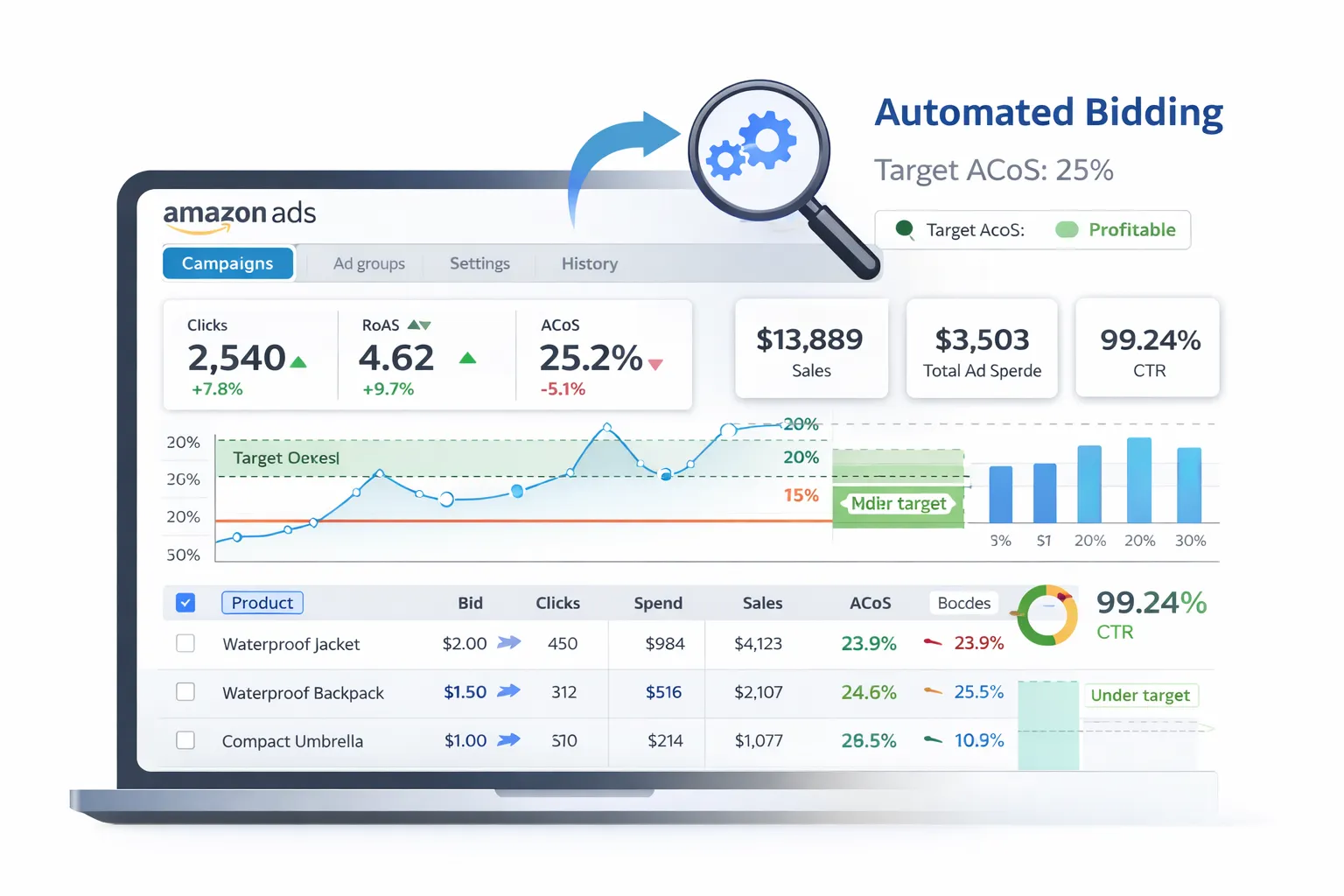
What is Amazon Marketing Stream (AMS)? #
Amazon Marketing Stream (AMS) is a push-based data stream that delivers advertising metrics in near real-time (hourly or more frequent).
Unlike traditional reporting APIs (which you pull), AMS pushes data to your AWS infrastructure, enabling:
- Hourly conversion tracking
- Near real-time performance monitoring
- Fast reactions to campaign changes
Use case: Monitor conversion rates hourly and automatically adjust bids to maximize ROAS (Return on Ad Spend) without manual intervention.
Architecture Overview #
Here's the automated bidding pipeline:
- Amazon Marketing Stream (AMS) → Pushes conversion data to AWS
- AWS Kinesis Data Stream → Receives the data
- AWS Lambda or Kinesis Firehose → Processes and forwards data
- BigQuery Data Transfer → Stores structured data in BigQuery
- Python script (scheduled hourly) → Analyzes performance + calculates bid adjustments
- Amazon Ads API → Pushes bid updates back to campaigns
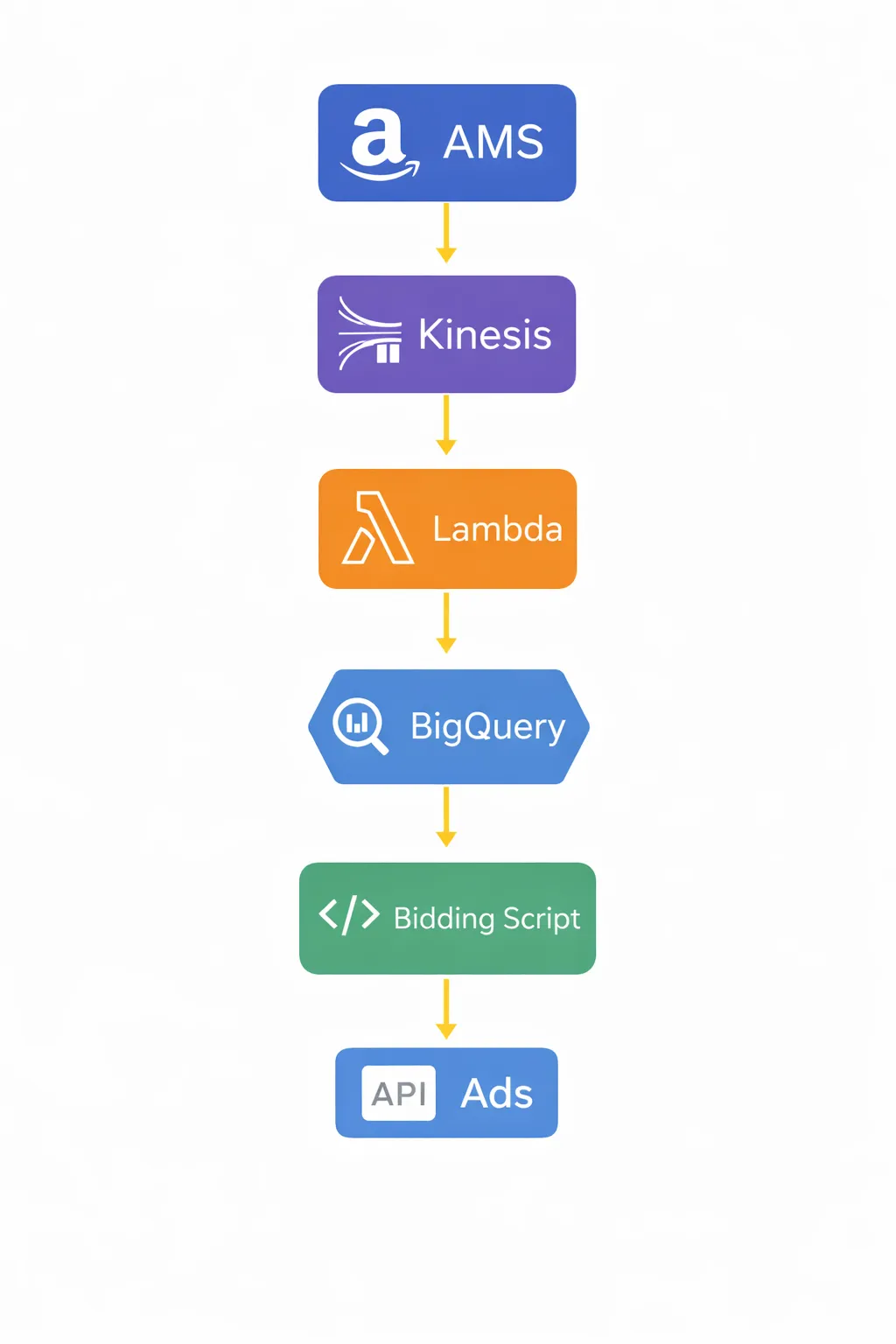
Why this setup? AMS only works on AWS, but you can forward data to BigQuery (GCP) for unified analytics. Bidding logic can run on either AWS Lambda or GCP Cloud Functions.
Step 1: Subscribe to Amazon Marketing Stream #
First, you need to subscribe to AMS and configure it to push data to your AWS account.
Follow Amazon's Amazon Marketing Stream documentation to:
- Request AMS access (requires Amazon Ads API access first)
- Create an AWS Kinesis Data Stream in your account
- Use the AMS API to subscribe to data streams (e.g.,
campaignLevelPerformance,productLevelPerformance)
Sample AMS subscription API call:
POST https://advertising-api.amazon.com/ams/streams
Authorization: Bearer {access_token}
Amazon-Advertising-API-ClientId: {client_id}

{
  "streamType": "campaignLevelPerformance",
  "destinationArn": "arn:aws:kinesis:us-east-1:123456789012:stream/ams-data"
}
Step 2: Set Up AWS Infrastructure #
You need several AWS components to receive and process AMS data:
1. Kinesis Data Stream
- Receives data from AMS
- Acts as a buffer for real-time processing
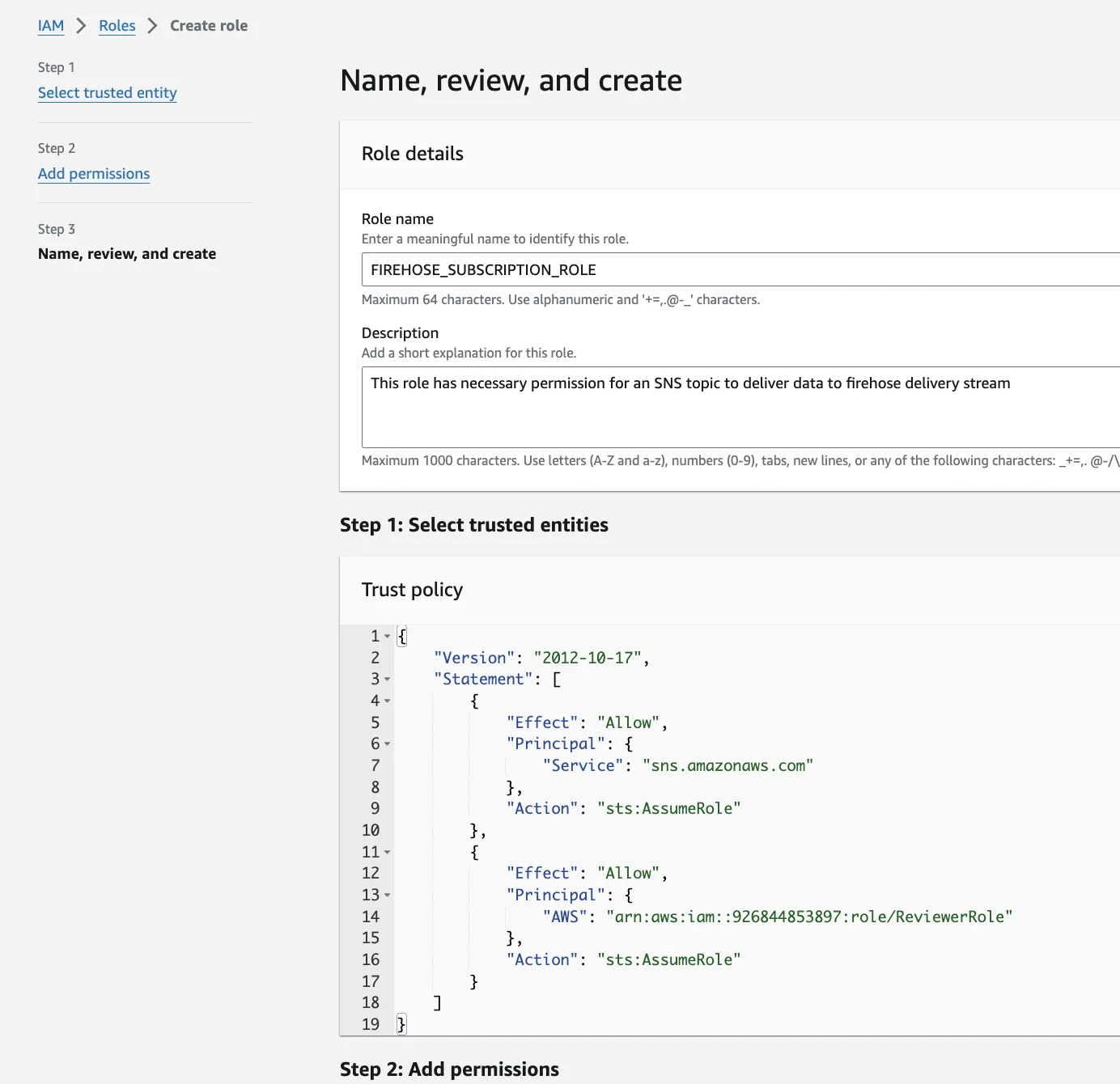
2. Lambda Function or Kinesis Firehose
Option A: Lambda Function
- Processes each AMS record as it arrives
- Parses JSON, transforms data, sends to BigQuery
- Good for complex logic or enrichment
Option B: Kinesis Firehose
- Automatically batches and delivers data
- Simpler setup, less code
- Can write to S3, then use BigQuery Data Transfer
Recommended: Use Kinesis Firehose to S3, then BigQuery Data Transfer for simplicity. Use Lambda only if you need custom transformations.
Step 3: Transfer Data to BigQuery #
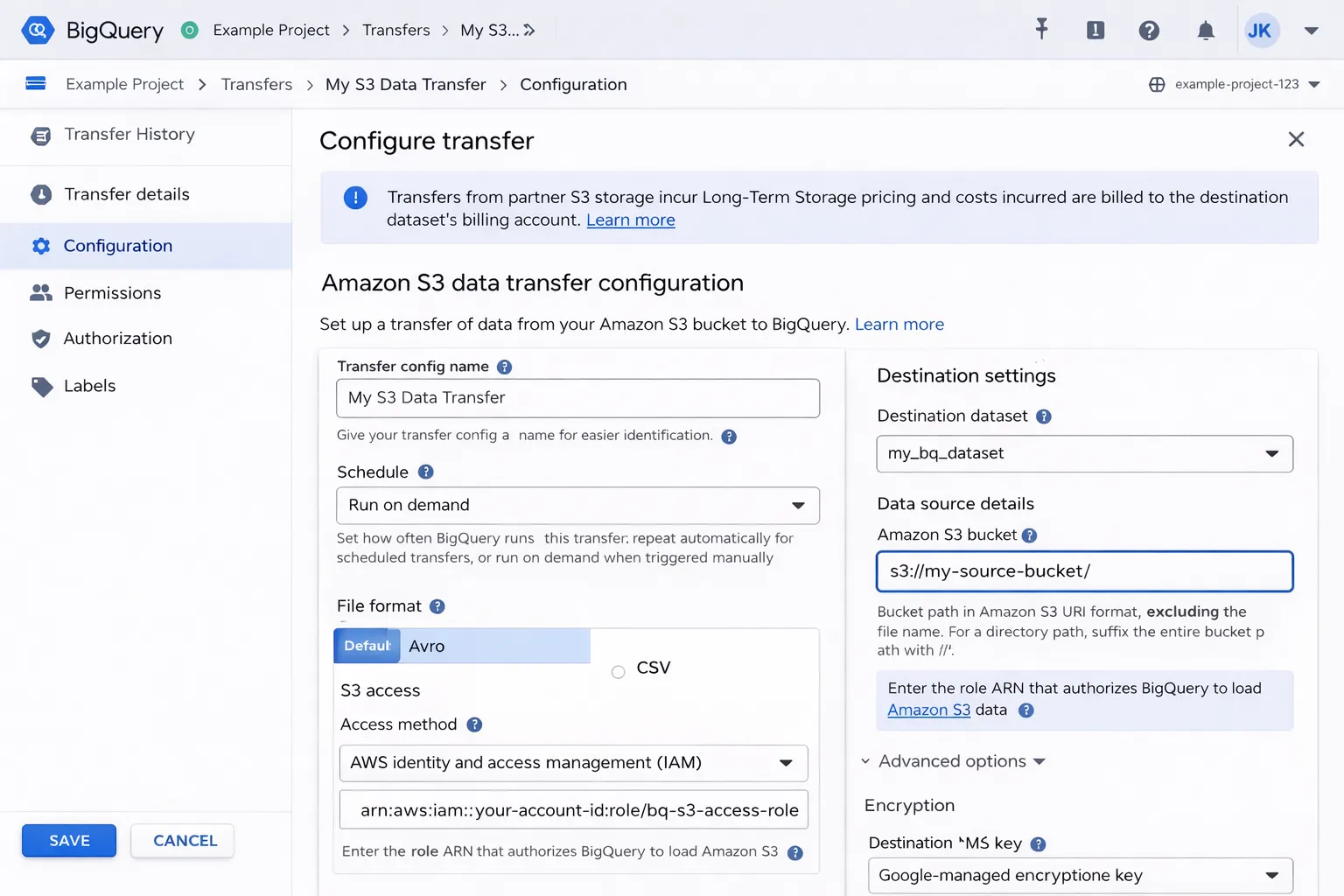
To get AMS data from AWS to BigQuery, use BigQuery Data Transfer Service:
- Kinesis Firehose writes AMS data to an S3 bucket (JSON or Parquet)
- Set up a BigQuery Data Transfer from S3
- Schedule the transfer to run hourly
Alternative: Direct insertion via Lambda
import json
from google.cloud import bigquery

def lambda_handler(event, context):
    client = bigquery.Client()
    table_id = "project.ams_data.conversions"

    rows = []
    for record in event['Records']:
        data = json.loads(record['kinesis']['data'])
        rows.append({
            "campaign_id": data['campaignId'],
            "conversions": data['conversions14d'],
            "spend": data['cost'],
            "timestamp": data['timestamp']
        })

    errors = client.insert_rows_json(table_id, rows)
    if errors:
        print(f"Errors: {errors}")
Step 4: Create BigQuery Tables #
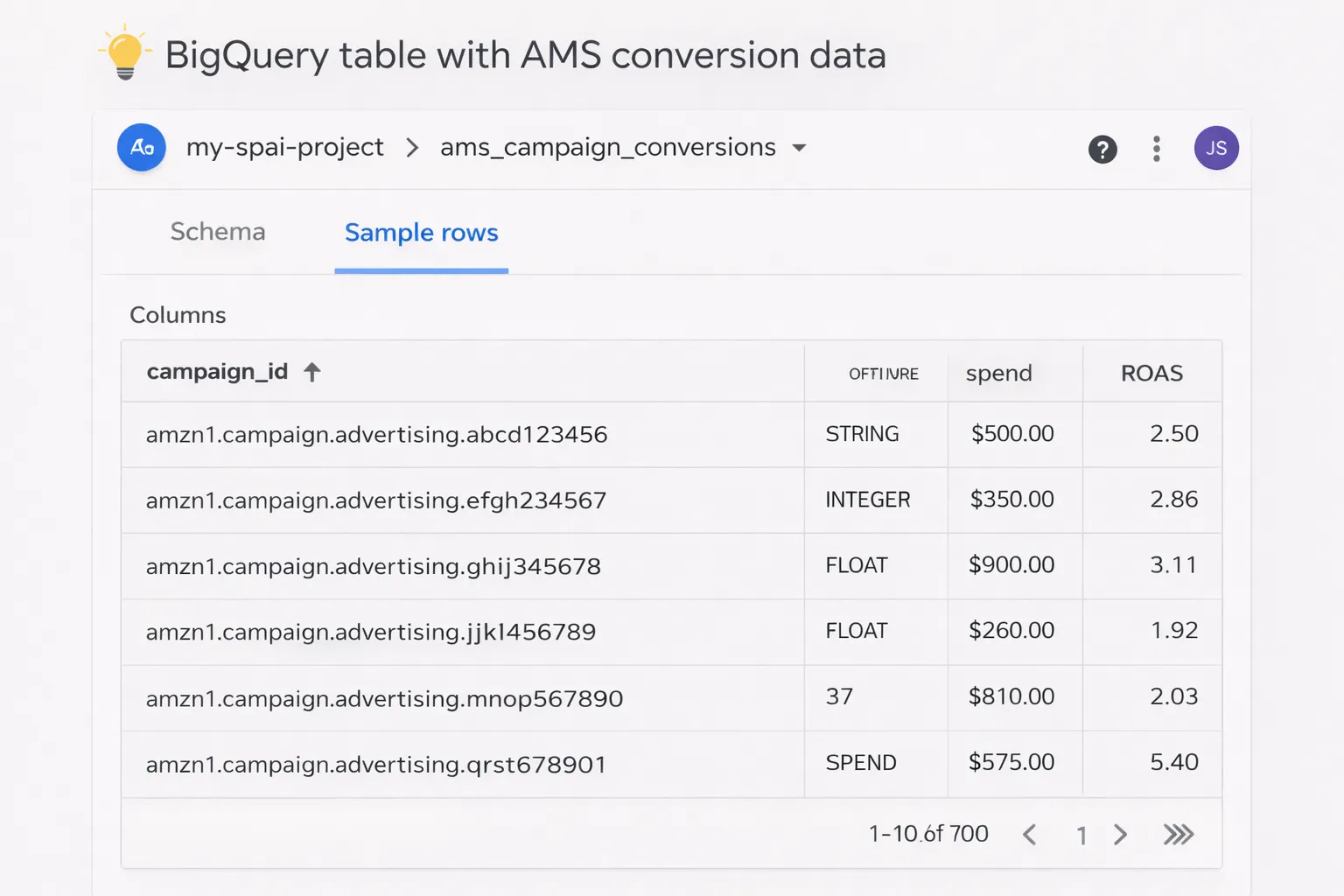
Design your BigQuery schema to store AMS conversion data:
-- AMS conversions table
CREATE TABLE `project.ams_data.conversions` (
  campaign_id STRING,
  ad_group_id STRING,
  keyword_id STRING,
  impressions INT64,
  clicks INT64,
  conversions INT64,
  spend FLOAT64,
  sales FLOAT64,
  timestamp TIMESTAMP,
  inserted_at TIMESTAMP DEFAULT CURRENT_TIMESTAMP()
)
PARTITION BY DATE(timestamp)
CLUSTER BY campaign_id;
Pro tip: Use clustering on campaign_id for faster queries when analyzing specific campaigns.
Step 5: Write Bidding Logic (Performance Analysis) #
Now create a Python script that:
- Queries BigQuery for recent conversion data (last hour or day)
- Calculates performance metrics (ROAS, CPA, conversion rate)
- Determines bid adjustments based on rules
Sample bidding logic:
from google.cloud import bigquery

def calculate_bid_adjustments():
    client = bigquery.Client()

    # Query last hour's performance
    query = '''
        SELECT
            campaign_id,
            SUM(conversions) as conversions,
            SUM(spend) as spend,
            SUM(sales) as sales,
            SUM(sales) / NULLIF(SUM(spend), 0) as roas
        FROM `project.ams_data.conversions`
        WHERE timestamp >= TIMESTAMP_SUB(CURRENT_TIMESTAMP(), INTERVAL 1 HOUR)
        GROUP BY campaign_id
    '''

    results = client.query(query).to_dataframe()

    adjustments = []
    for _, row in results.iterrows():
        campaign_id = row['campaign_id']
        roas = row['roas']

        # Bidding rules
        if roas > 3.0:  # High ROAS → increase bids
            adjustment = 1.15  # +15%
        elif roas < 1.5:  # Low ROAS → decrease bids
            adjustment = 0.85  # -15%
        else:
            adjustment = 1.0  # No change

        adjustments.append({
            'campaign_id': campaign_id,
            'bid_adjustment': adjustment
        })

    return adjustments
Important: Add guardrails to prevent extreme bid changes. Cap adjustments (e.g., max ±20% per hour) and set minimum bid thresholds.
Step 6: Push Bid Updates via Amazon Ads API #
Use the Amazon Ads API to update campaign bids programmatically:
import requests

def update_campaign_bids(adjustments, access_token, profile_id):
    url = "https://advertising-api.amazon.com/v2/sp/campaigns"
    headers = {
        "Authorization": f"Bearer {access_token}",
        "Amazon-Advertising-API-ClientId": "your-client-id",
        "Amazon-Advertising-API-Scope": profile_id,
        "Content-Type": "application/json"
    }

    for adj in adjustments:
        campaign_id = adj['campaign_id']
        new_bid = calculate_new_bid(campaign_id, adj['bid_adjustment'])

        # Update campaign budget
        payload = {
            "campaignId": campaign_id,
            "dailyBudget": new_bid
        }

        response = requests.put(
            f"{url}/{campaign_id}",
            headers=headers,
            json=payload
        )

        if response.status_code == 200:
            print(f"Updated campaign {campaign_id} to ${new_bid}")
        else:
            print(f"Failed: {response.text}")
Pro tip: Log all bid changes to a BigQuery audit table for accountability and analysis.
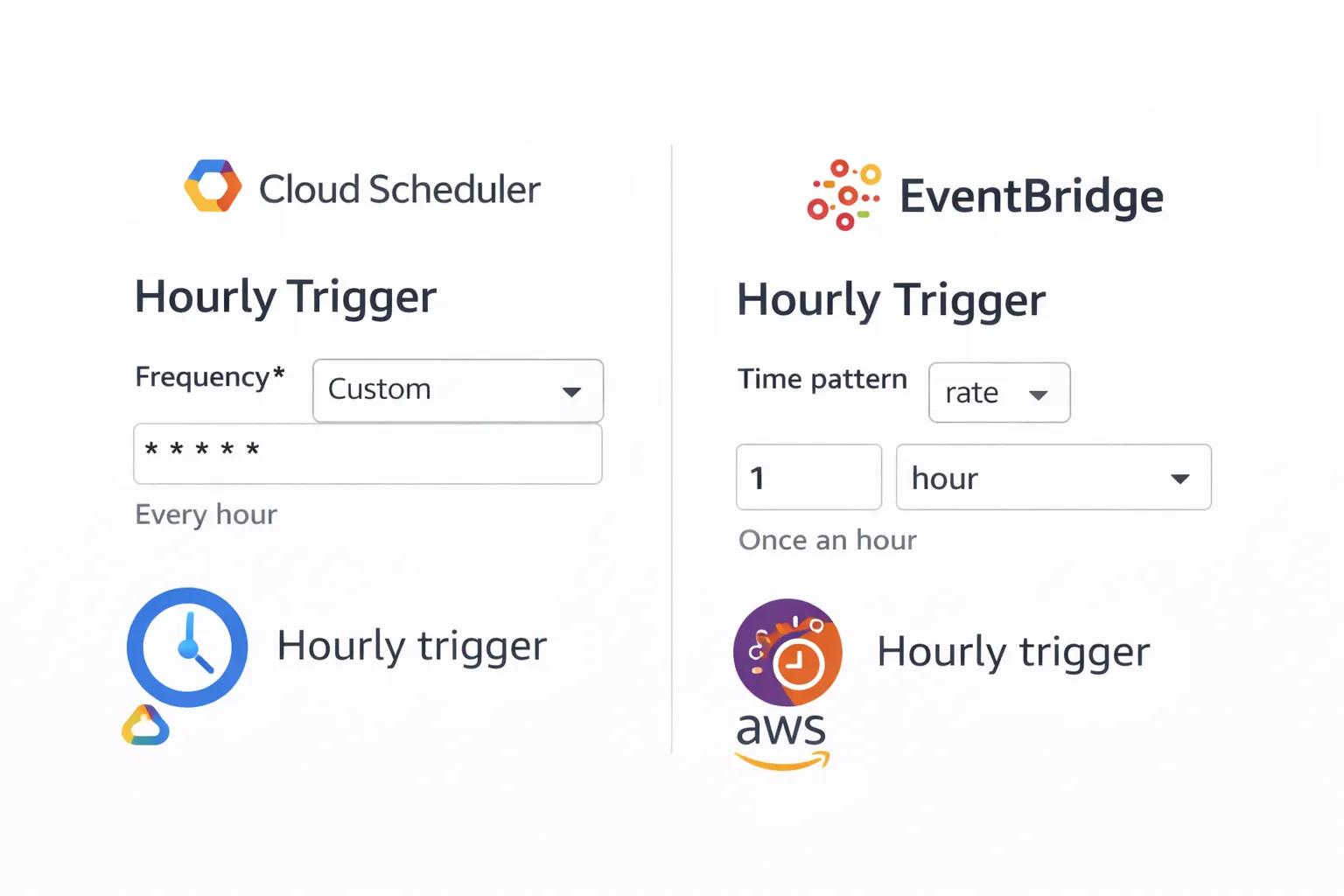
Step 7: Schedule Hourly Execution #
Deploy your bidding script to run hourly:
Option 1: GCP Cloud Scheduler + Cloud Functions
# Cloud Scheduler cron (every hour)
0 * * * *
Option 2: AWS EventBridge + Lambda
- Create an EventBridge rule with
rate(1 hour) - Trigger a Lambda function that runs your bidding logic
Adding Safety Guardrails #
Automated bidding can go wrong. Add these safeguards:
1. Bid Caps
def apply_guardrails(new_bid, old_bid, min_bid=0.50, max_bid=10.0):
    # Max change per hour: ±20%
    max_increase = old_bid * 1.20
    max_decrease = old_bid * 0.80

    new_bid = max(min(new_bid, max_increase), max_decrease)

    # Absolute min/max
    new_bid = max(min(new_bid, max_bid), min_bid)

    return new_bid
2. Manual Override
- Store "manual override" flags in BigQuery
- Skip automated adjustments for campaigns with overrides active
3. Dry-Run Mode
DRY_RUN = True  # Set to False when ready

if DRY_RUN:
    print(f"[DRY RUN] Would update campaign {campaign_id} to ${new_bid}")
else:
    update_campaign_bids(adjustments, access_token, profile_id)
4. Alerting
- Send Slack/email alerts when bids change by > 30%
- Alert on API errors or failed updates
- Daily summary reports of all bid changes
Monitoring and Optimization #
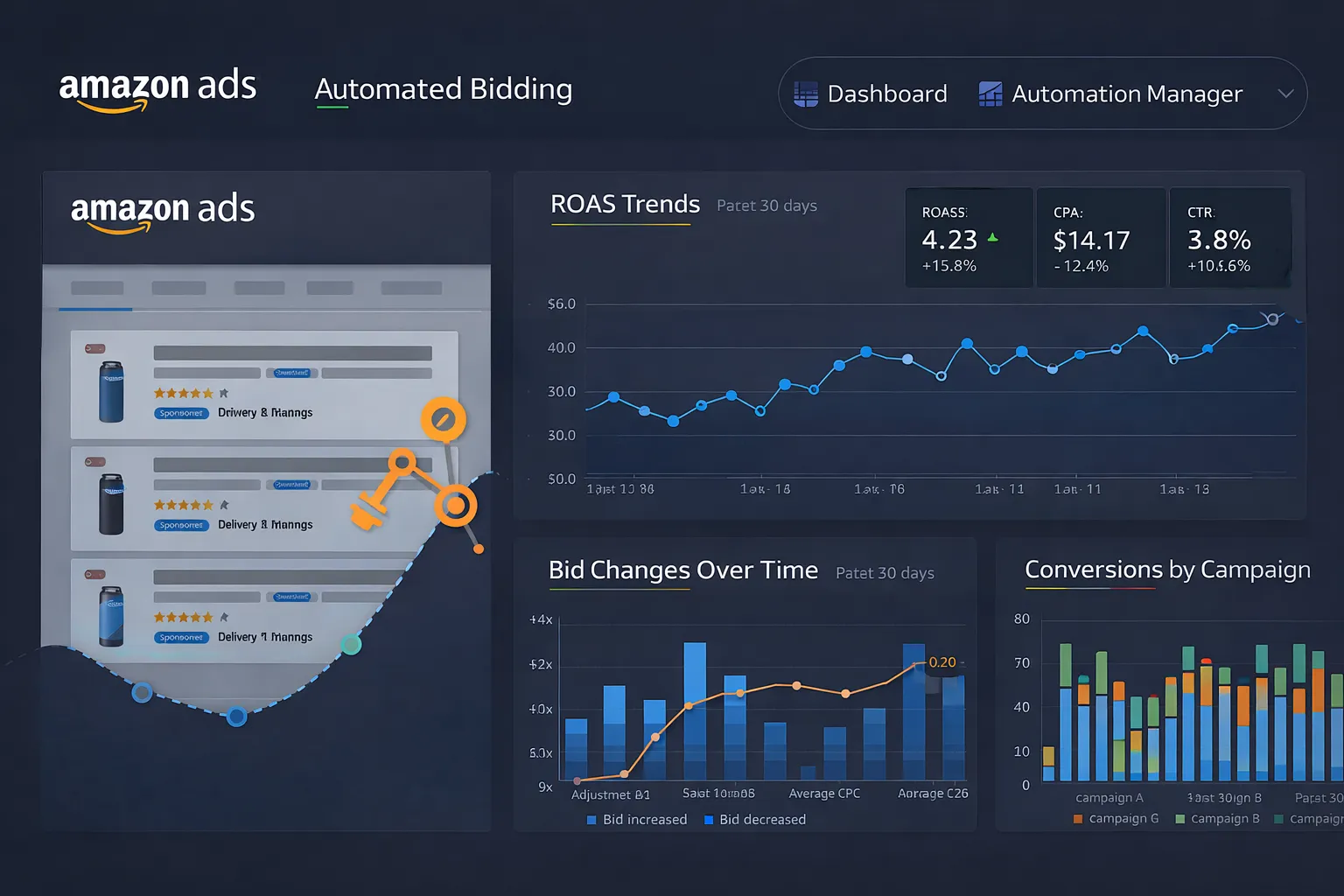
Track the performance of your automated bidding system:
Key Metrics to Monitor
- ROAS improvement: Compare pre/post automation
- Bid stability: Ensure bids don't oscillate wildly
- API success rate: Track failed bid updates
- Cost per conversion: Should trend downward
Build a Dashboard
Visualize in Looker Studio or custom dashboard:
- Hourly ROAS by campaign
- Bid change timeline
- Spend vs. conversions correlation
- Automated vs. manual performance comparison
Cost and ROI Considerations #
Infrastructure Costs
- AWS Kinesis: ~$15-30/month (hourly data stream)
- Lambda/Firehose: ~$5-15/month
- BigQuery: ~$20-50/month (storage + queries)
- GCP Scheduler/Functions: Mostly free tier
Total estimated cost: $40-100/month
Expected ROI
- 5-15% ROAS improvement from faster bid adjustments
- Eliminates manual bid management (saves hours/week)
- Scales across hundreds of campaigns without added effort
Breakeven: If you spend $10k+/month on ads, a 5% efficiency gain ($500) pays for the infrastructure 5x over.
What You Can Build Next #
Extend your automated bidding system:
- Keyword-level bidding: Adjust bids per keyword, not just campaigns
- Seasonal rules: Apply different strategies during high-traffic periods
- Competitor tracking: Integrate external data (e.g., Keepa) to adjust bids based on competitor pricing
- ML-based optimization: Use historical data to train models for smarter bid predictions
- Multi-marketplace: Sync bidding logic across US, EU, and other regions
Need help implementing this?
Tell me your stack and what you want automated. I'll reply with a simple plan tailored to your needs.