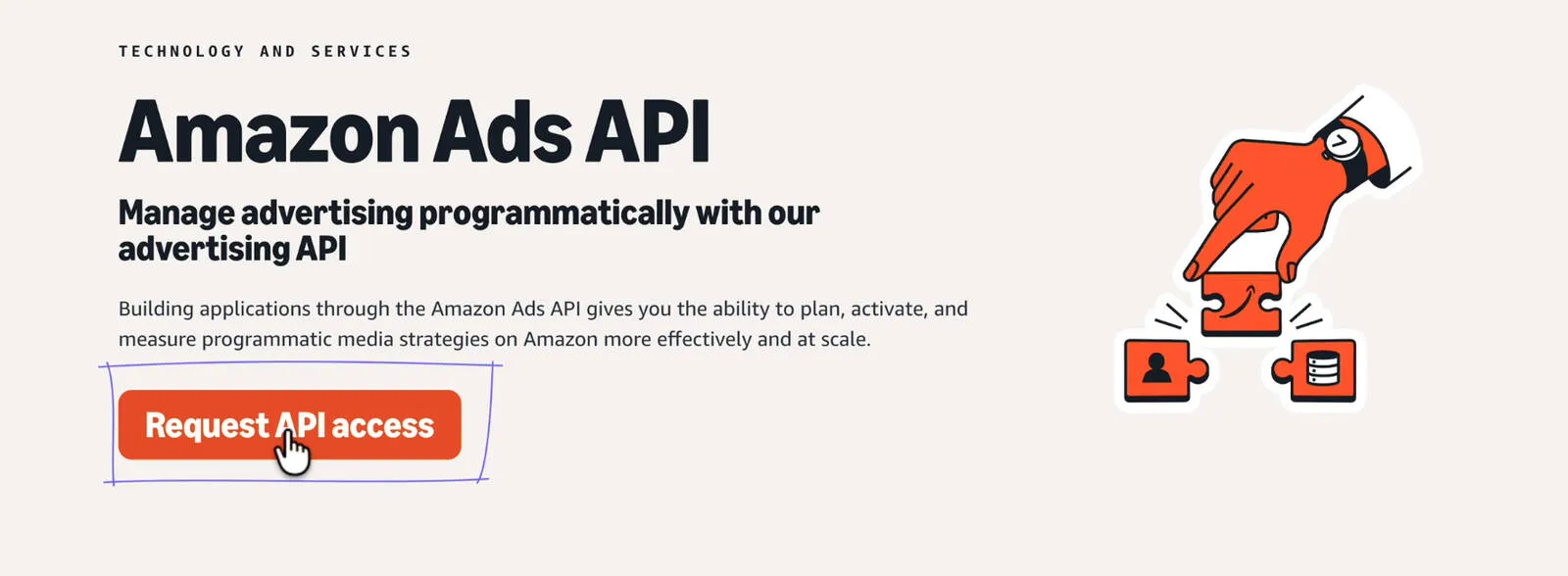
What You Need Before You Start #
Before you begin, make sure you have:
- An Amazon advertising account (Seller Central brand running ads)
- Access to the email inbox linked with your Amazon developer account
- A working company website link (it must open properly)
Tip: If you don’t have a site, create a simple Google Sites page. The only goal is: the URL must load and not be broken.
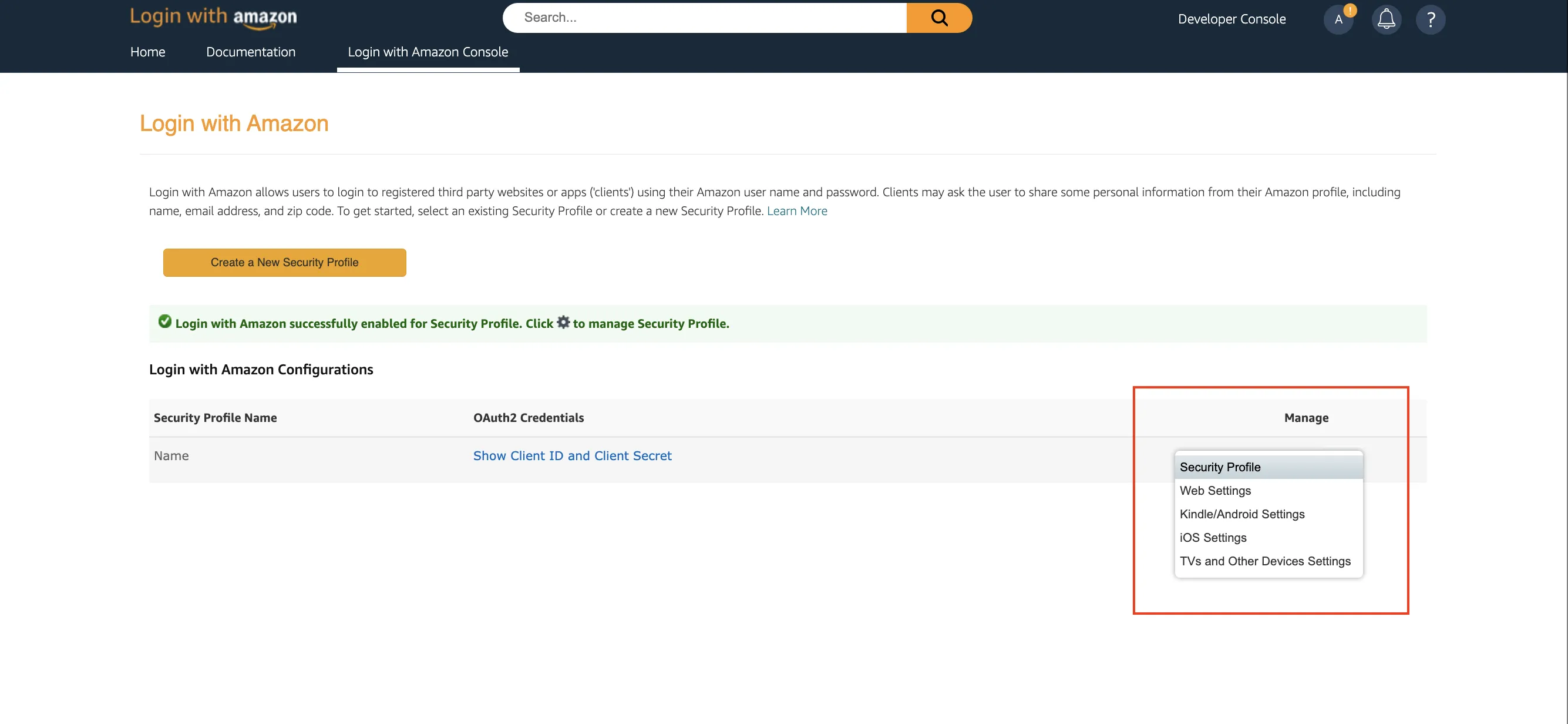
Step 1: Create a Login with Amazon (LWA) Security Profile #
This is where your Client ID and Client Secret come from. You’ll use them for token generation in a few steps.
- Sign in to the Amazon Developer Console
- Open Login with Amazon → Security Profiles
- Create a new profile and save it
- Copy your Client ID and Client Secret
Step 2: Apply for Amazon Ads API (Direct Advertiser) #
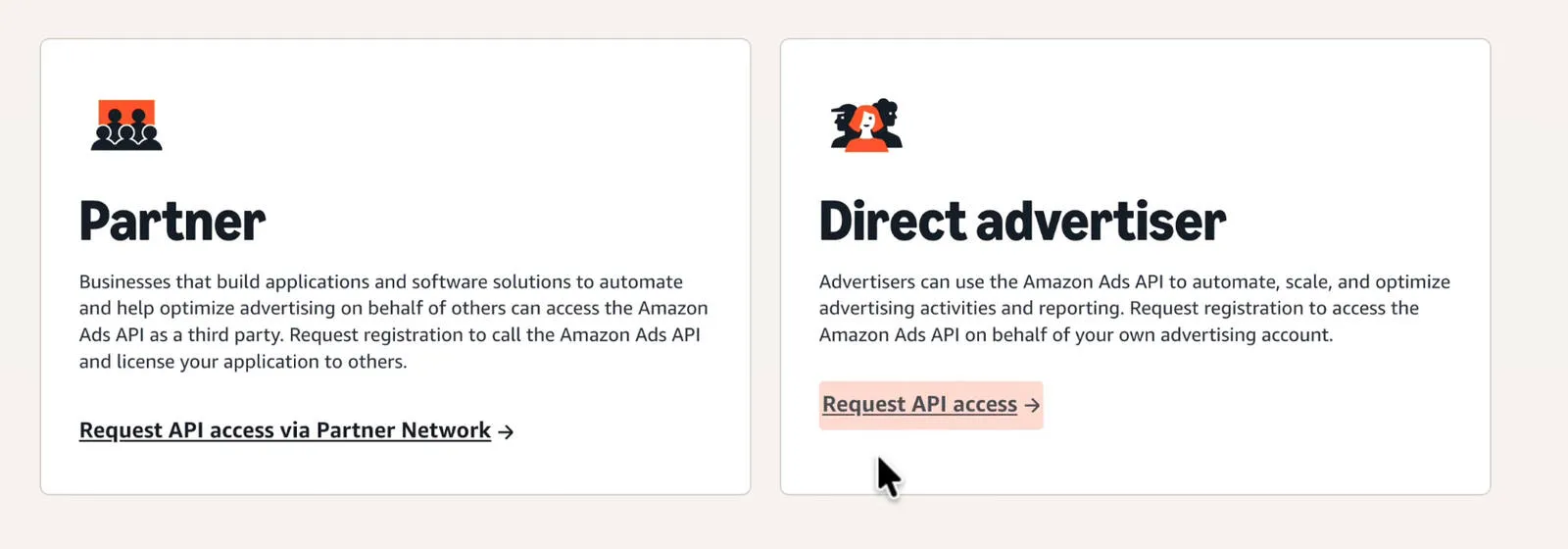
Now you submit the Ads API application. The key detail: choose the option that matches direct advertiser (you’re using the API for your own business).
- Search Amazon Ads API apply and open the official application page
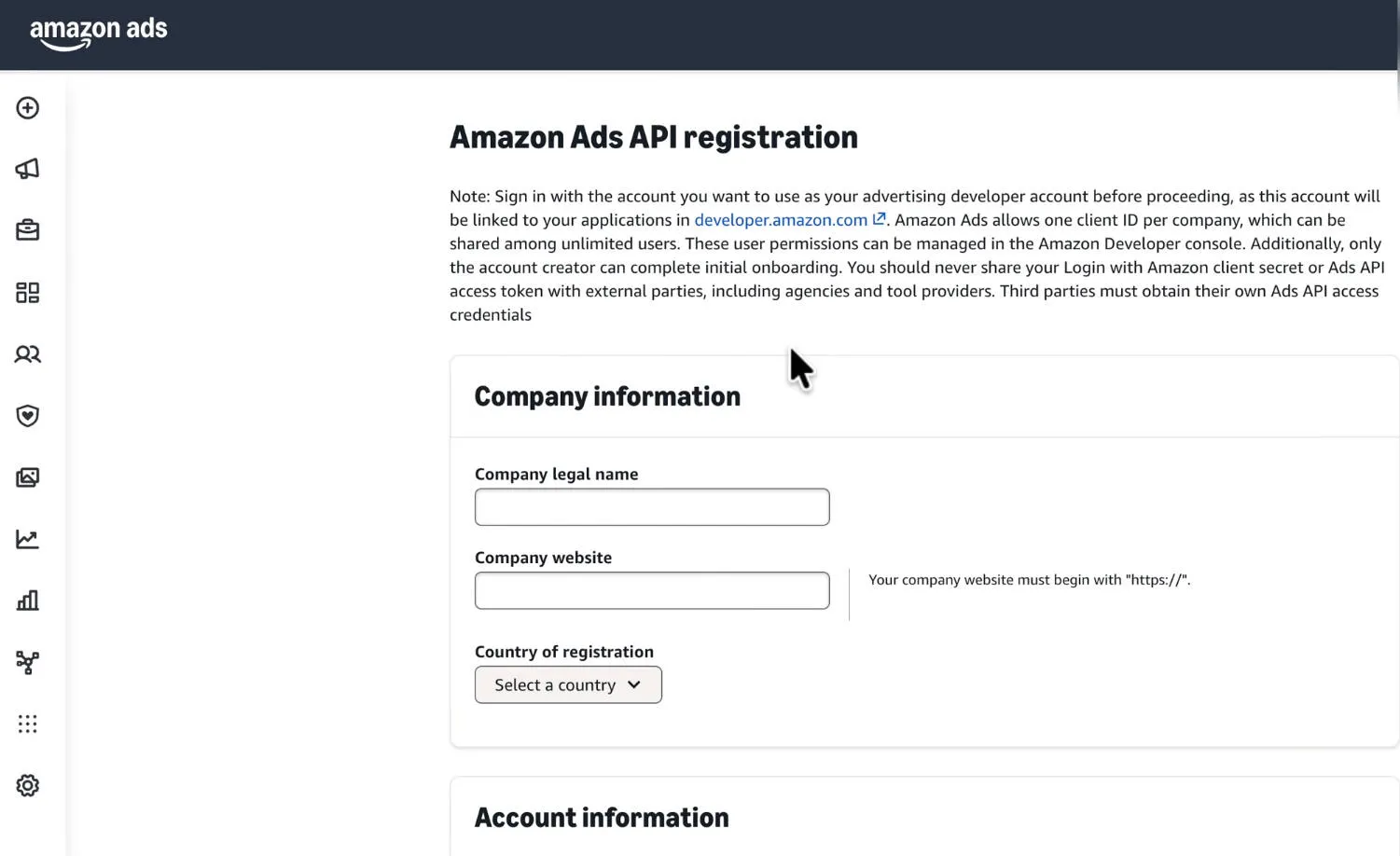
- Fill in your business details
- Select Direct advertiser / own account usage
Tip: In the “Solution” field, write a realistic use-case: dayparting, reporting dashboards, budget/bid rules, alerts, etc.
Direct advertiser selection:
Application form:
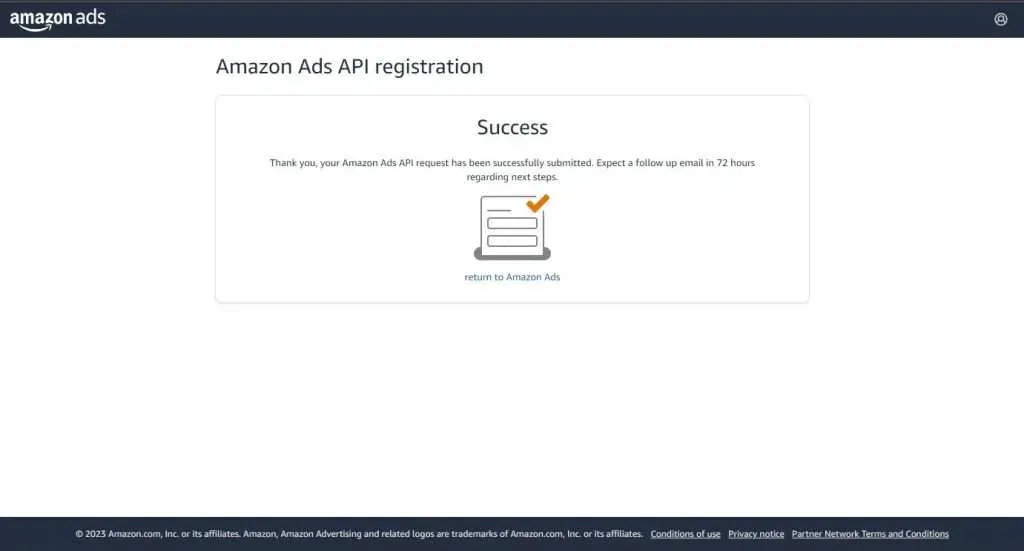
After submission, you should see a success/confirmation screen:
Step 3: Handle the Approval Email (Important Warning) #
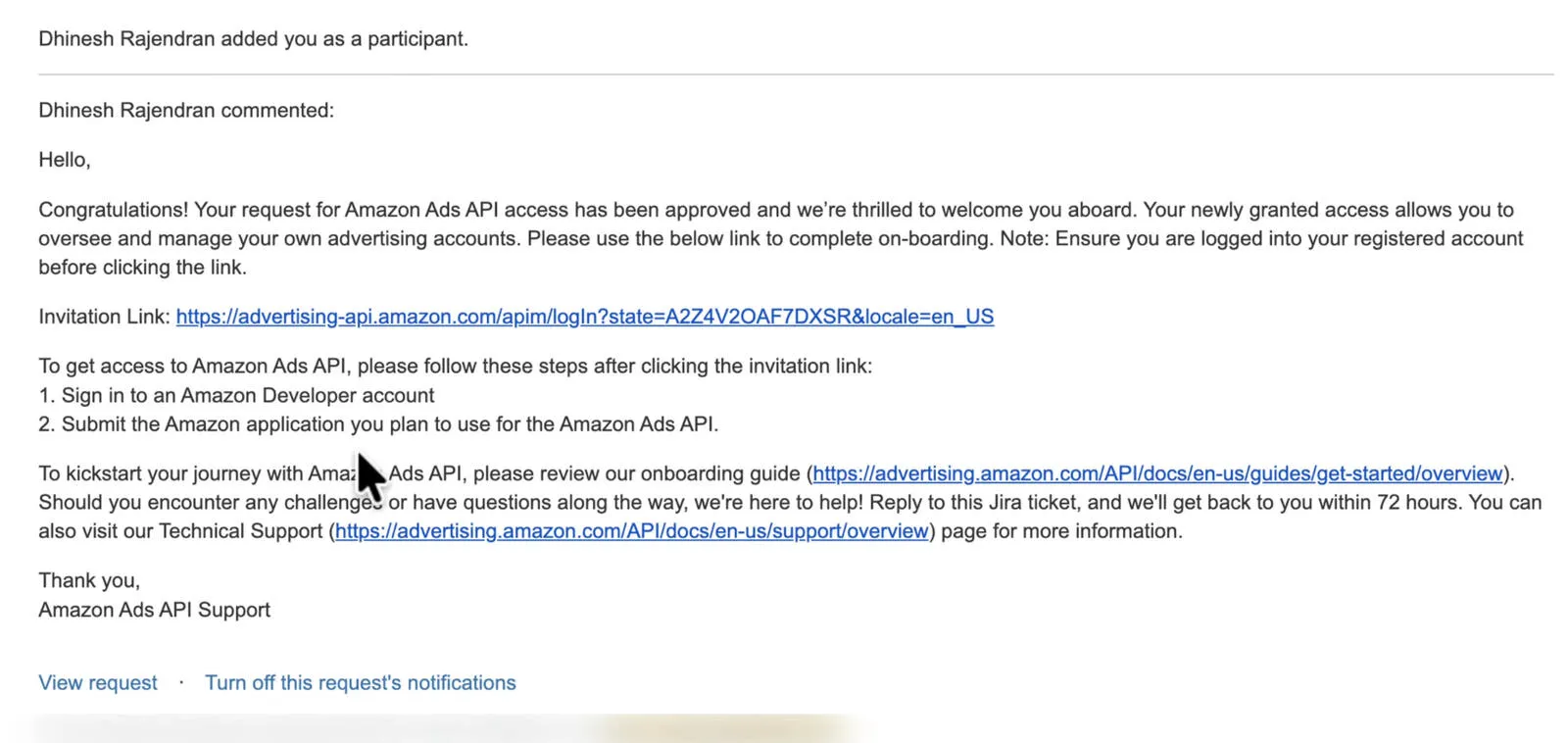
After approval, Amazon sends an invitation / congratulations message with a link to continue setup.
Important: Open the invitation link in an incognito/private window. If you open it in the wrong Amazon login session, the link can get stuck to the wrong account and support can be slow.
Step 4: Connect Ads API Approval to Your LWA Profile #
This step links your Ads API access to the LWA security profile you created in Step 1.
- Open the invite link
- Click Continue
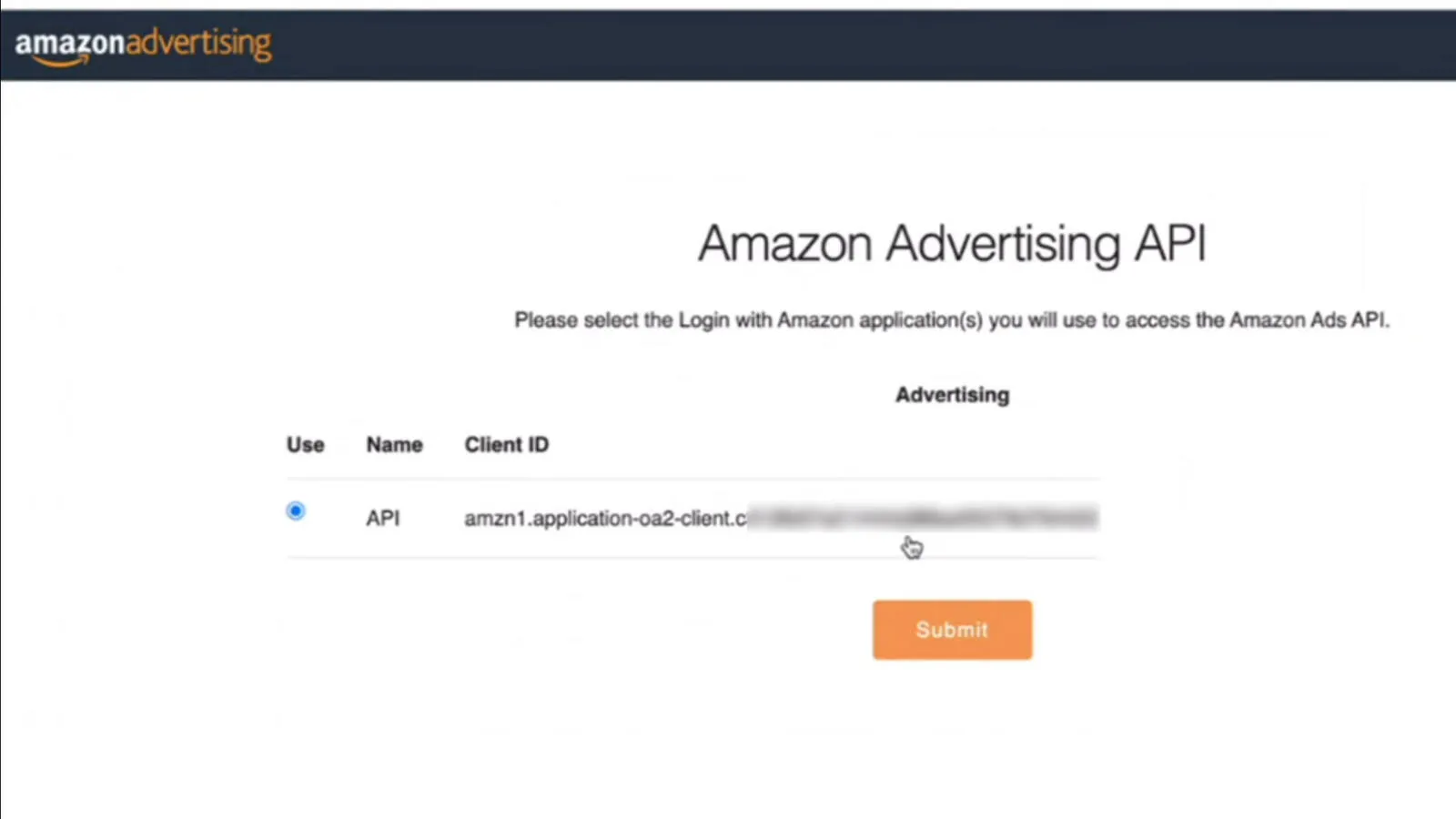
- Select the correct LWA security profile
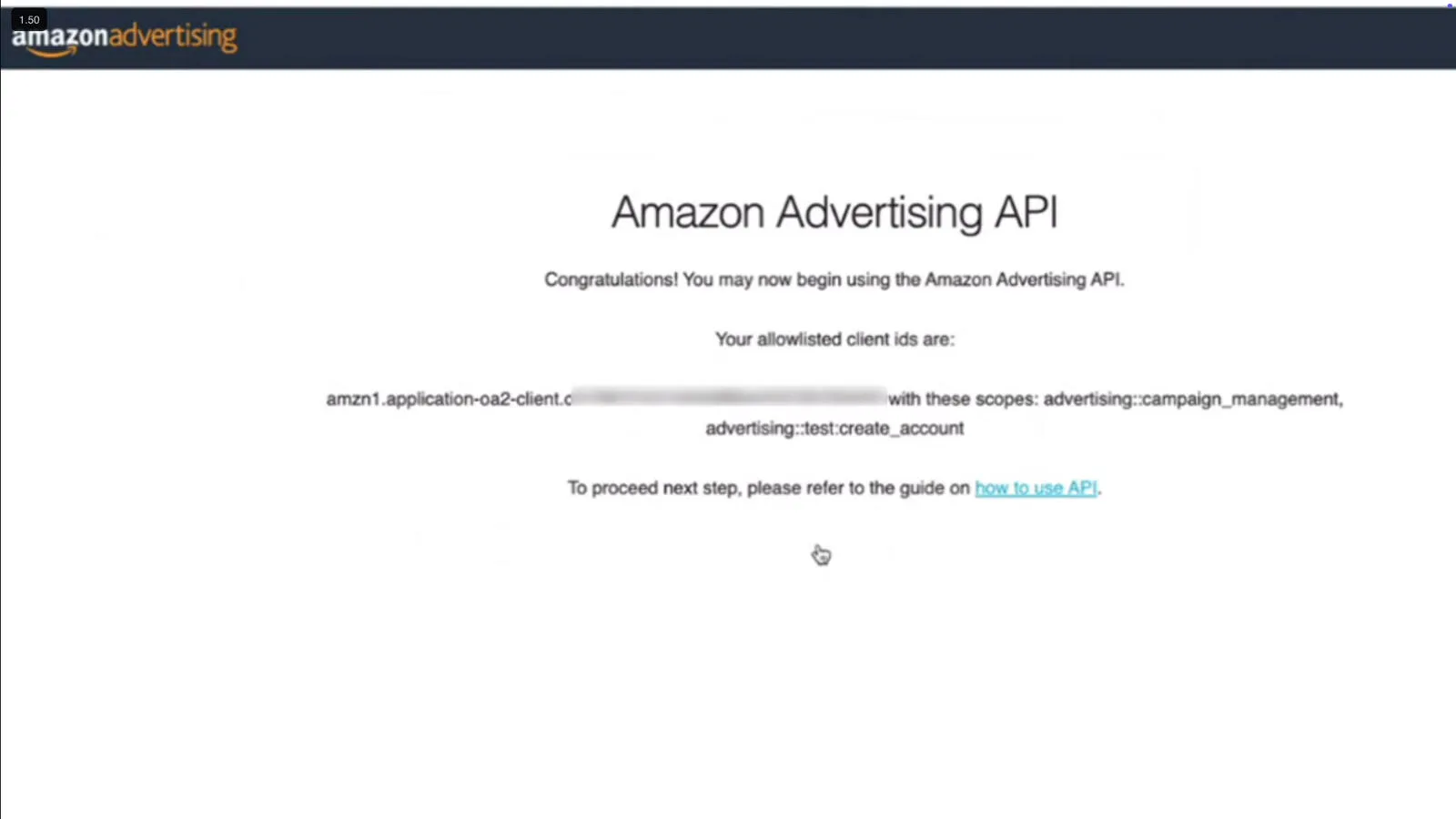
- Submit and confirm
Assign/select the LWA profile:
Confirmation step:
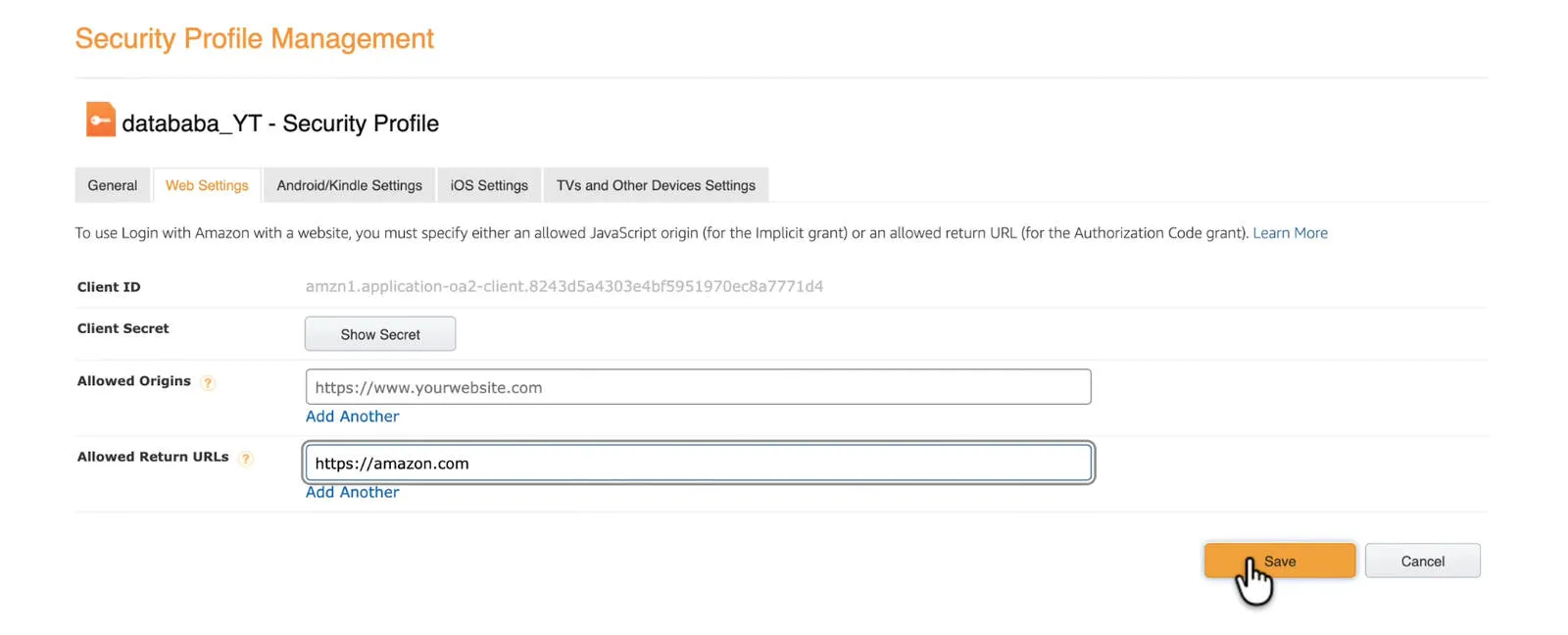
Step 5: Update LWA Web Settings (Add Return URL) #
Now set your return/redirect URL inside the LWA profile.
Path: Login with Amazon → Security Profile → Web Settings → Edit
Add an Allowed Return URL (redirect URL). Example:
https://amazon.com
Step 6: Generate the Authorization Code #
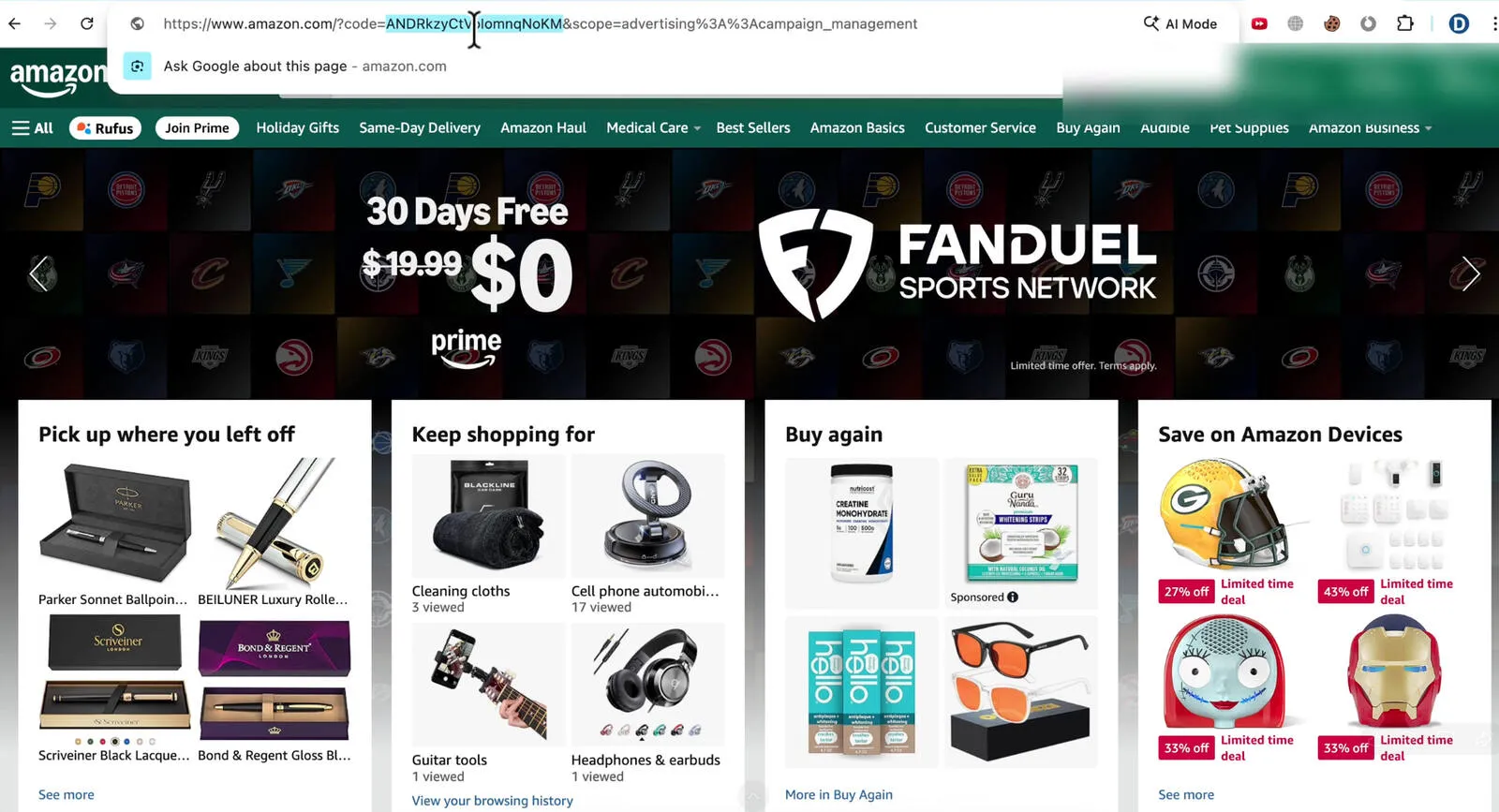
Now generate an authorization URL, open it in your browser, click Allow, and copy the code=... from the redirected URL.
Tip: The authorization code usually expires in ~5 minutes. If it expires, just regenerate it.
Authorization URL (get the code):
https://www.amazon.com/ap/oa?client_id=YOUR_LWA_CLIENT_ID&scope=advertising::campaign_management&response_type=code&redirect_uri=YOUR_RETURN_URL
Step 7: Exchange Authorization Code for Refresh + Access Token #
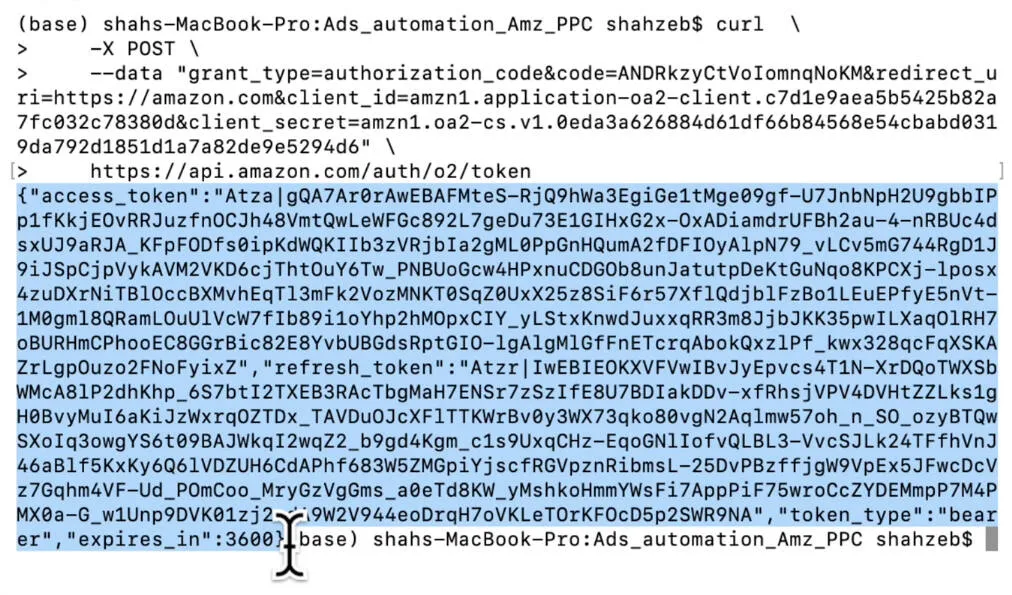
Now exchange the auth code for tokens.
- Access token expires ~60 minutes
- Refresh token is long-lived (this is what you store securely)
Exchange auth code → tokens (one-liner):
curl -X POST --data "grant_type=authorization_code&code=AUTH_CODE&redirect_uri=YOUR_RETURN_URL&client_id=YOUR_CLIENT_ID&client_secret=YOUR_SECRET_KEY" https://api.amazon.com/auth/o2/token
Tip: Never paste real tokens into public docs. If you’re screenshotting, blur the sensitive parts.
Step 8: Test the Setup by Fetching Profile IDs #
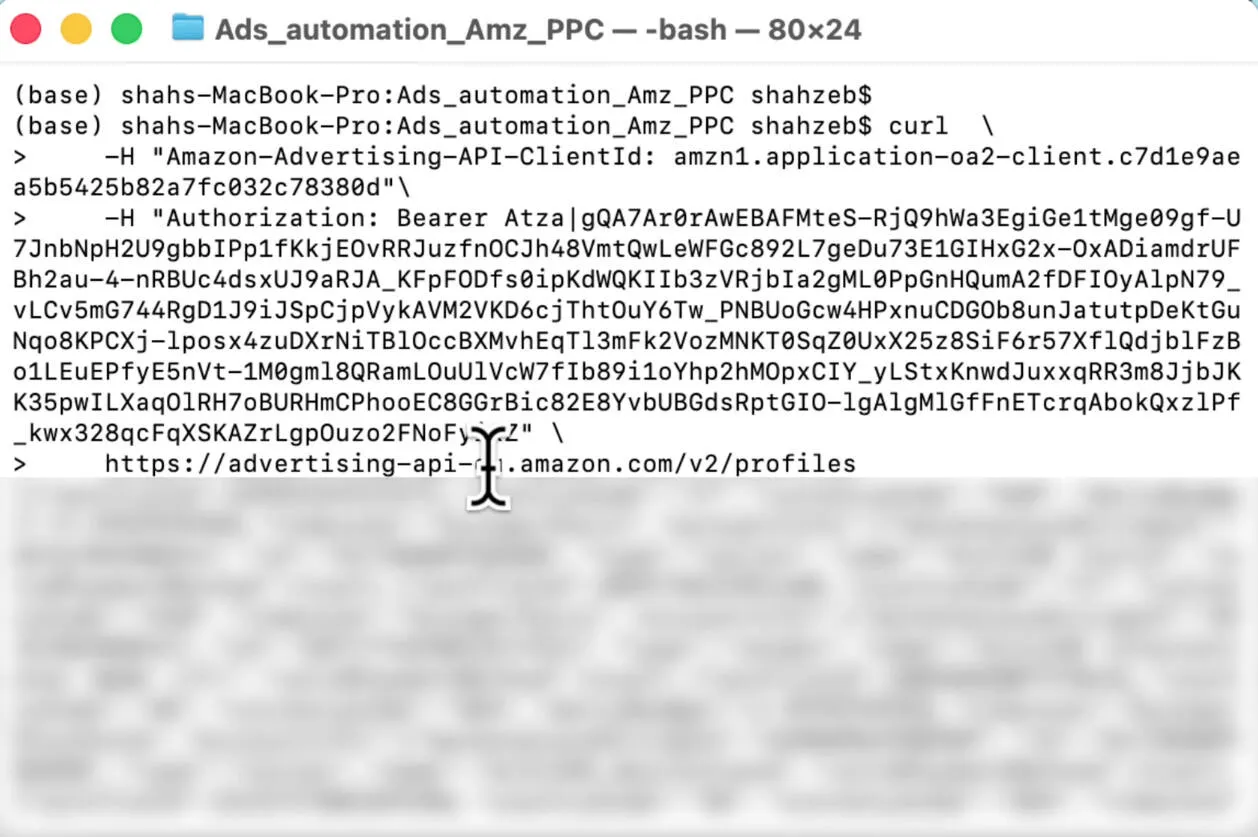
This is the fastest “proof it works” test. If profiles return, your setup is correct.
Test call (fetch profiles) (one-liner):
curl -H "Amazon-Advertising-API-ClientId: YOUR_CLIENT_ID" -H "Authorization: Bearer YOUR_ACCESS_TOKEN" https://advertising-api.amazon.com/v2/profiles
If profiles are empty: you’re likely hitting the wrong region endpoint (US/EU/FE) or using the wrong account/token.
Common Issues (So You Don’t Waste Days) #
- Rejected application: weak “solution” answer (too vague, no real use-case)
- Broken website: URL must load properly
- Invite link issues: opened in the wrong browser/account session
- Auth code expired: regenerate and retry
- Wrong region: profiles call returns empty
What You Can Build Next #
Once you have the refresh token, you can build real automation:
- Dayparting (hourly budget toggles)
- Bid rules and placement adjustments
- Reporting dashboards
- Alerts for overspend / pacing issues
Need help implementing this?
Tell me your stack and what you want automated. I'll reply with a simple plan tailored to your needs.